 Nask AI

Key takeaways
- Get access to the client’s assets from the client’s own business; never log in as the client.
- Creative production is what caps how many clients one person can run.
- Tracking set up for each client turns reporting from opinion into numbers.
- A report the client can open without you saves a meeting every week.
Running Facebook ads for clients means operating each client’s ad account through access you are given, producing on-brand creative for each brand, tracking each funnel to sales, and reporting results the client can read without a call.
Your first client is a project. You set up the account, build the ads, check the numbers every morning and send a report when they ask. Your second client is the same project with a different brand, a different offer and a different set of logins. By the fifth, you are not running ads. You are switching context for a living.
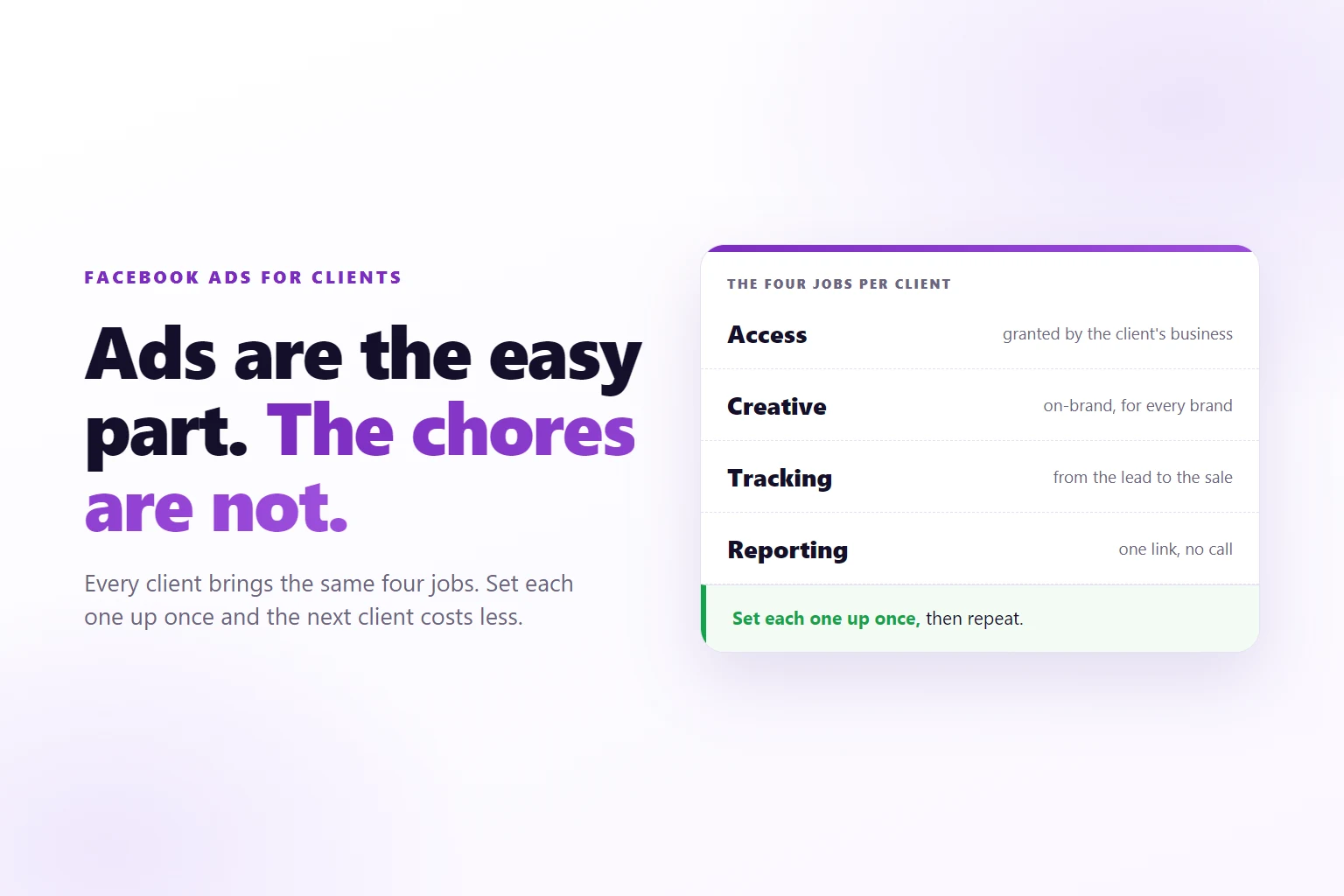
That is the trap in running Facebook ads for clients. The ads are the smallest part of the job. The job is four chores repeated for every client: getting access, producing creative, tracking leads to sales, and reporting. This guide takes them in the order an agency runs into each one, and shows the steps in Nask AI where it does the work.
Why the second client hurts more than the first
A second client doubles the chores, not the ads. Each client has their own assets to get access to, their own brand to make ads for, their own site to track and their own report to write. Only what you turned into a system carries over.
Changing a budget or pausing an ad takes minutes. The four chores take hours. Creative grows fastest, because every client needs new on-brand ads every week. Raising spend safely inside one account and running more accounts in one week are two separate scaling jobs.
Before you take the next client, measure. For two weeks, write down your hours per client on each chore: access and setup, creative, tracking, reporting. The biggest total is the one to turn into a system first.
When not to build the system yet: with one client, do every chore by hand once. You cannot automate a step you have never done, and the first client is where you learn which steps repeat.
How should you get access to a client’s ad account?
Through the client’s own business. A client’s ad account, Facebook Page and pixel (the snippet of code that reports what visitors do on their site) belong to their business on Meta. Your job is to be given access to them, not to hold them. Never ask for a client’s password and never log in as the client. A shared password breaks the day their phone asks for a code.
In Nask AI the path is the Meta connection settings on the client’s brand. They have two tabs. Client business connects through the client’s own business portfolio, which is Meta’s name for the account that owns their assets. The panel describes it as access that belongs to their business and does not depend on anyone’s password. Legacy is your personal Facebook login, shared by every brand on it, and the panel notes that it expires every 60 days. For clients, use Client business.
Client business offers three ways to connect:
- Connect now, if you are already an admin of the client’s business. You pick it in the Facebook window.
- Copy link, which makes a link the client opens, no Nask AI account needed. It works once and expires in 7 days.
- Send email, which emails the client that link with your message.
The client sees a page titled “Connect your Meta ads for” their brand, and a button, Connect with Facebook. In the Facebook window they choose what to share: their ad account, their Facebook Page, and optionally their Instagram account and their pixel. The page tells them they can remove the access at any time in their Business Settings.
It also gives them a short checklist: keep every permission ticked or the connection fails, set a payment method on the ad account or the ads cannot run, link the Instagram account to the Page, and accept the audience terms if Facebook asks. Send that list ahead of the link, because an unticked permission fails the connection.
When the client finishes, the panel shows Waiting for your confirmation. Check it is the right business and press Confirm, or Not this one. Then pick the ad account, Page, Instagram account and pixel this brand uses. If a client later removes Nask AI from their business, the panel says so and tells you to send a new link.
One edge case: a client with no business portfolio. The page says Facebook did not return one and asks them to pick or create one in the Facebook window.
Onboarding: what to collect before the first ad
Five things, before you build anything. A missing answer delays the launch more than building the ads does.
1. Access. Done above: the ad account, the Page and the pixel, granted from the client’s business.
2. The offer and who it is for. One sentence each. “Free audit for owners of dental practices” is usable. “We help businesses grow” is not. If the client cannot say it, that is your first deliverable.
3. The funnel stages, and where each happens. A lead fills a form on their site. A booked call happens in a calendar tool. A sale happens in a CRM, a payment tool or a spreadsheet. Write down each stage and the place it occurs. This list drives the tracking section below, and a stage nobody can point at is a stage you cannot measure.
4. Brand assets and past ads that worked. Logo, colors, photos they own, and earlier ads that worked. In Nask AI, a brand starts from the client’s website address, and you generate the brand documents on the brand page. The Studio brief then reads those documents, with a toggle for each one, so every ad starts from that client’s brand and not the last client’s.
5. The person who approves creative. A name, not a team. Creative approval is where launches stall in agencies: three people have opinions and nobody says yes. Agree who says yes, and how fast, before you send the first draft.
Send all five as one form on day one, and do not start building until it is answered.
Creative for many brands without a design team
Creative is the chore that caps the roster. The problem is not one ad. It is ads for ten brands that each look like their own, replaced as they wear out.
The way out is to write the variety into a brief and let the tool produce the versions. In Nask AI Studio, the steps are Mode, Brief, Plan, Create and Publish. The brief holds what the client sells and to whom. The plan turns it into groups of ads, one sentence each, and every word of that sentence is a setting you can change. The guide to ads per ad set covers what makes two ads different enough to count as variety and how many a group needs.
For an agency, the point is that the brief reads the client’s own brand documents, so the ads carry their colors, voice and offer without you rebuilding the style each time. For a client in a regulated category, the brief has a toggle, Adapt to compliance rules, which rewrites copy and images to the rules you have added on the brand page before generating. The panel is plain that every ad is reviewed either way.
Review is where you spend your time, and it is a short step. Each ad is marked Approved, Needs edit or Rejected. A rejection asks you to pick at least one reason or write a note. Regenerate rejected re-renders the rejected image ads and leaves the approved ones alone. For a bigger change, Feedback and Rerun starts a new campaign with the same setup and hands your note to the planner as revision notes.
Client feedback becomes one note, such as “more of the founder, less stock photo”, instead of a redesign.
When not to rely on this: if a brand is too particular for a document to describe, such as a strict photographic style, supply the finished ads yourself and use the upload route below.
Tracking each client’s funnel to sales
A report built on clicks and form fills looks good until the client asks how many leads became customers. Tracking each client’s funnel to the sale turns “I’ll check” into a number.
The work is the same for every client, which is why it is worth making routine. Install the pixel on the client’s own site. Name the funnel stages you wrote down in onboarding, because each client’s stages are different: a coaching offer goes from lead to booked call to sale, a local service goes from form sent to site visit to signed. Then test every stage before any budget depends on it.
The Nask AI pixel setup guide walks through the install and the panel line by line. The part to repeat for every client is the test. Each stage has a Test this stage button; you press it, open the test page, do the step, and the panel tells you whether the stage was Detected. After 90 seconds without it, the panel says Not detected and offers Send to Nask AI support. While a brand’s Sending to Meta card is on Dry run, a test event reads “Test mode, not sent to Meta”, so you can wire a new client without feeding Meta anything unverified.
How the stages are caught, which identifiers tie a lead back to an ad, and how booked calls are matched are covered in how to track leads from Facebook ads to sales.
One thing changes when the clients are not yours: you now hold their leads. Those names and emails are the client’s customer data. Keep only what you need, and share exports and logins only with the people who work on that client.
Launching and changing ads across accounts
Every publish should go to one client’s account, on purpose, with nothing live until someone has looked. Nask AI is set up for that. Each brand has its own connected ad account, and a publish from that brand goes to that account. When Nask AI creates a new campaign, ads go to Meta paused by default. The settings offer Status on publish if you want Active instead, and publishing into an existing campaign hides that choice.
Paused suits client work: it gives you and the client’s approver a window to look at the ads before spend starts. Make launch day two steps: publish paused, switch on after the client says yes.
The structure is one ad set per group. In the publish settings, the structure tile “Group → ad set” makes each Studio group its own Meta ad set, so the grouping you chose while planning is the structure in the account. If the client already has finished ads, Upload & Publish takes those instead, as a bulk upload from a folder, and its Add ad set button splits one upload into several ad sets.
Connections break. A client removes access, or a token expires. Nask AI shows a banner with a Reconnect Meta link when a brand’s connection is dead, and if a token has expired or is about to, the publish refuses to start with a message to reconnect, rather than half-publishing. Treat a banner as a task for that client, and send them a new connect link if they removed access.
Batch the week: one day for creative review across all clients, one for launches, one for reports.
What should a client report show?
Spend, leads, booked calls and sales against a goal, what changed this week and what happens next, in a form the client can read without you. In Nask AI each brand has one permanent report link that shows the live week plus every generated week, with an optional passcode, and a weekly summary that generates on Monday and is never sent automatically. On plans with White-Label Reports, your logo and name go on the weekly report documents behind the link; the live Report view still ends with “Prepared with Nask AI”. If the client can open the link on a Tuesday night, the Wednesday status call has no job left. What to send each week is covered in weekly reporting for agency clients, and the layout in a six-section client report template.
When to say no to a client
Some clients cost more than they pay, and the four chores show you which. Say no, or change the terms, when:
- They will not grant access from their own business. If they insist on sharing a login, or on you creating and owning the account, you will be locked in the day they leave and blamed for history you cannot show.
- They cannot name a funnel stage past the form. If nobody can say who became a customer, you cannot report on sales. Agree to report on leads only, in writing, or do not start.
- No one can approve creative. An approver who takes three weeks to answer makes you the bottleneck for ads you cannot launch.
- They want claims you cannot back. An ad that promises a result needs evidence for it. The FTC Act bars unfair or deceptive practices. A client who wants invented results puts your name next to them.
- They want fabricated testimonials. The FTC’s rule on consumer reviews and testimonials covers fake or misrepresented testimonials. A quote that never happened fails that test.
- They want more of your time than the report link covers. If the client wants a weekly call on top of the report link, price the extra time or hold the line.
Saying no early is cheaper than after you have built the account. If you cannot do one of the four chores for a client, you cannot run the account.
Frequently Asked Questions
Should the client own the ad account?
Yes. The client should own the ad account, the Page and the pixel, and give your business access to them. If you part ways they keep their history and you lose nothing you need. Running ads from an account you own puts their data and spend history in your hands, which causes trouble when the relationship ends.
How many clients can one person run?
As many as your creative, tracking and reporting hours allow. It depends less on managing ads than on creative, tracking and reporting for each client. Changing budgets and reading results takes minutes. Producing new on-brand ads, fixing a client’s tracking and writing a weekly report takes hours. Cut those three and the number rises. Count your hours per client per week before you take the next one.
What should I ask a new client for in onboarding?
Access to the ad account, the Page and the pixel; the offer and who it is for; the funnel stages from lead to sale and where each one happens; brand assets and past ads that worked; and the person who approves creative. A missing answer delays the launch more than building the ads does.
How often should I report to clients?
Weekly for active accounts, with the same structure every time: spend, leads, booked calls and sales against the goal, what changed, and what happens next. A report the client opens on a shared link, with numbers from tracking rather than screenshots, answers most questions before they turn into calls.
Can I put my agency’s brand on client reports?
In Nask AI, yes, on plans with White-Label Reports: they put your logo, accent color, prepared-by name and footer text on the weekly report documents behind the link, though the live Report view still ends with the line Prepared with Nask AI. In any reporting tool, check that the shared link carries your branding too, not only the exported file, because the link is what clients forward.
Run your client accounts in Nask AI
Pick the client whose chore list is longest and move it into Nask AI first: connect their business, build their brand, wire their stages, and send them the report link. Each client after that is the same four steps with fewer surprises. Book a demo and see a client account set up from connection to report.
Nask AI connects through each client’s own business, makes on-brand ads from one brief per client, tracks each funnel to sales and gives every client a report link carrying your branding. Ads go to Meta paused by default.
Book a demo