 Nask AI

Key takeaways
- The rejection names the policy; the fix is in the copy, the image or the landing page.
- Personal attributes and outcome claims cause many rejections in health and services.
- Edit and resubmit when the cause is clear; request another review when it is not.
- Repeated rejections can restrict the account, so fix the pattern, not the single ad.
A rejected Facebook ad is one Meta’s review found in conflict with its advertising standards; it does not run until it is edited and passes review again, or until a request for another review succeeds.
You wrote the ad carefully. A provider read it. It says nothing you would not say across a desk. Then Ads Manager marks it Rejected, names a policy, and offers a button to request a review. The ad next to it, which says almost the same thing, is running.
That is the part that feels random, and it is why advertisers in health, finance and other service categories lose days to it. This page covers the causes that come up most for them, shows the rejected line beside the fixed line, and explains how to tell an ad problem from a landing page problem. It never promises approval, because Meta decides, and it tells you when to stop editing and ask for another look.
Why a rejection feels random
A rejection feels random because you see the verdict and not the rule. Review is largely automated, applied to each ad on its own, and it looks at the words, the image and the page the ad leads to. Two ads that read alike to you can differ in one phrase that a system reads literally.
Three things make it worse. A running ad is not proof that yours complies, since an ad can be rejected after it has run. Meta’s standards also change, so a line that passed last spring can fail now. And the notice is short: it names a policy area, sometimes with a reason, rarely with the exact words.
So the first move is to stop treating the rejection as a mood and treat it as a diff. Something about this ad, or its page, differs from the ones that run. Your job is to find it.
Every example below is illustrative. None of it is a ruling, and whether a given line passes is Meta’s decision, not this page’s.
What does the rejection notice tell you?
The notice tells you three things: that the ad was rejected, which policy area it hit, and which part of the ad the policy applies to. It does not always tell you which words. Read it in that order before you touch the copy.
- The policy area. Personal attributes, health and wellness claims, misleading claims, a landing page problem. The name decides where you look first.
- The part. The text, the image, or the destination. A notice about the destination means editing the ad will not help.
- The options. Ads Manager offers to request another review. Take that option last, not first. More on that below.
Then do the comparison. Put the rejected ad next to an ad from the same account that runs, and list every difference: the first line, the claim, the image, the page. Change one thing at a time when you can. If you change five and the ad passes, you learn nothing about the next ad.
In Nask AI, the same information shows up where you already work. In Live Ads, an ad Meta has rejected carries a “Rejected” badge, and an ad with problems carries “Issues”, with the reasons Meta gives listed under the ad. Right after a publish, the read back from Meta flags a rejected ad as “Meta disapproved this ad” and a flagged one as “Meta flagged issues on this ad”. You see Meta’s stated reason beside the ad it belongs to, without opening each ad one by one.
Personal attributes: a common cause in services
Meta’s standards say an ad should not assert or imply that the person reading has a personal attribute. Health conditions, finances and similar traits are the ones service and health advertisers meet most. The trigger is the link between the condition and “you”.
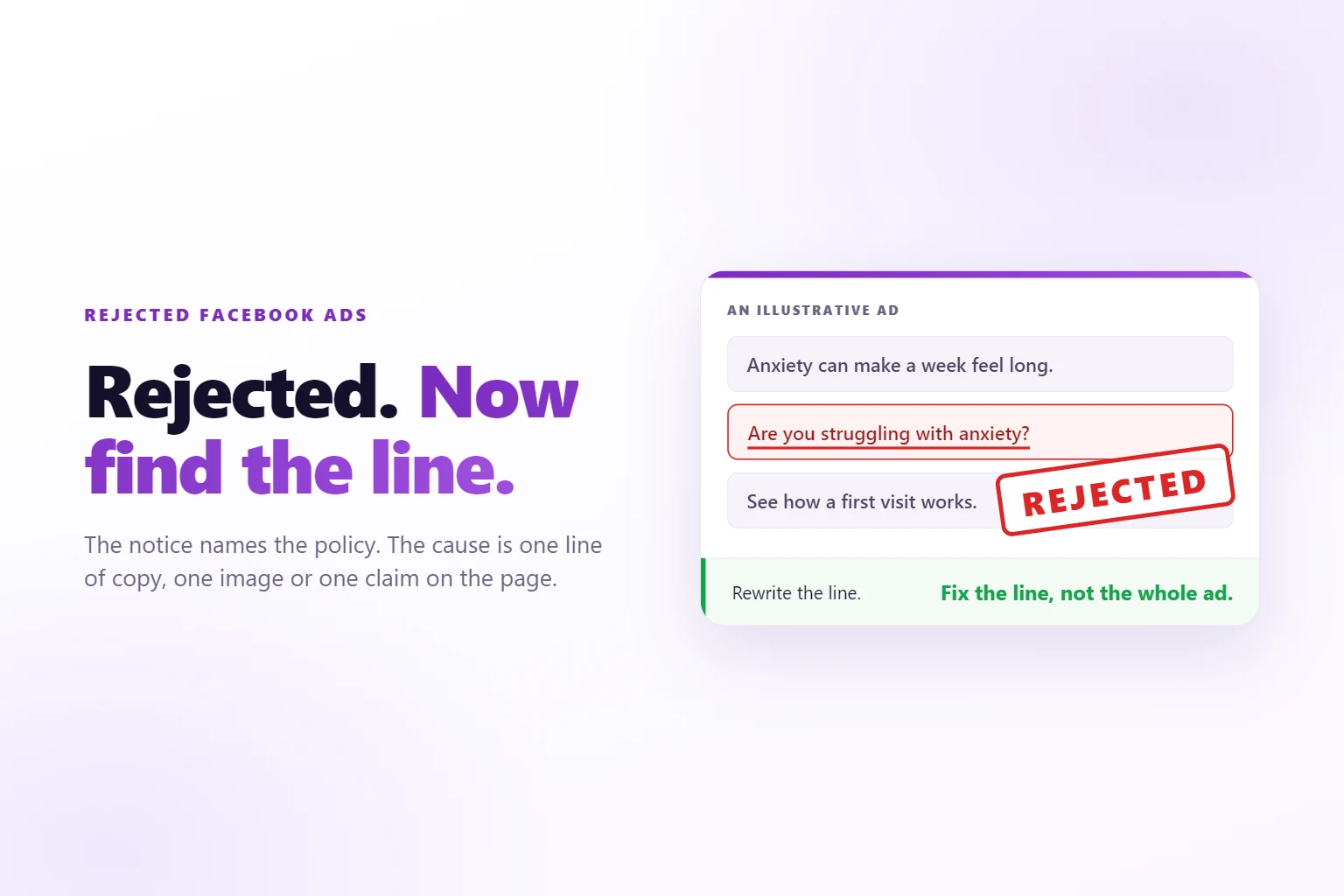
“Are you struggling with anxiety?” says the reader has anxiety. “Your acne does not have to hold you back” says the reader has acne. “Tired of debt that keeps growing?” says the reader has debt. Each is a question or a promise, and each is also a statement about the person, which is what the standard is written against.
The obvious fix is to soften the words: swap “struggling” for “dealing with”. It rarely works, because the structure is the problem. The sentence is still about the reader. The fix that works is changing the subject of the sentence from the reader to the problem.
Three habits cover most of it:
- Name the problem as a topic. “Acne care options, explained before you book” talks about acne care. It does not say who has acne.
- Describe what the visit is. “See how a first visit works” is about your service, which you can describe without describing the reader.
- Keep the specific. Do not strip the ad until nothing is left. “Care options” with no topic gets no clicks. The concrete subject stays. Only the pointing finger goes.
One caution. The same sentence carries different weight in different categories: what a B2B ad can say about a business’s cash flow is not what a clinic can say about a body. If you run ads for both, write the rules separately. For a clinic, tracking Meta ads for a med spa also means keeping treatment names out of events.
Claims, before-and-after and health language
Outcome claims are the second cause advertisers hit. Meta’s standards are strict about ads that promise a result or show an unrealistic transformation, and Meta restricts some before-and-after imagery; check the current Health and Wellness policy for your category. Words like “cure”, “proven” and “fast” in front of a result are the usual triggers.
Two separate tests apply, and they are not the same test. Meta’s review is a platform decision. The law is the other. An ad can pass Meta and still be a problem, and an ad can fail Meta without being unlawful. Do not use one to prove the other.
On the legal side, the Federal Trade Commission Act makes it unlawful to disseminate a false advertisement to induce the purchase of “food, drugs, devices, services, or cosmetics” (15 U.S.C. 52). Services are in that list. If your ad says a result is typical, you need evidence that it is.
Testimonials follow the same logic. Under the FTC’s Endorsement Guides, an endorsement that shows a product working is treated as a claim about the product, and the advertiser needs support for it (16 CFR 255.2). A footnote reading “results not typical” does not fix a headline that implies they are. If you quote a client, you have taken on the claim.
If your ad names a prescription drug, there is another layer. The FDA writes specific rules for prescription drug advertisements (21 CFR 202.1), and ad platforms commonly attach extra conditions to ads that name a prescription drug. Read those rules before you write a line that names one, or leave the name out and describe the service.
What to write instead of a result:
- The process. What happens at the first visit, who you see, what you ask.
- The scope. What the service covers and what it does not.
- A real, specific detail. The kind of person you work with, the kind of case you take, the time a first call takes.
If your service involves patient data, one more rule sits outside the ad. HIPAA defines marketing and limits how health information is used for it (45 CFR 164.501). If you use patient lists to build audiences, ask counsel before you do. That question is about your data, and no rewrite of the ad answers it. For telehealth, the same review has a second judge in what your pixel, forms and events send.
When the landing page is the problem
Review reads the destination too. An ad with clean copy can be rejected because the page it leads to makes a claim the ad was careful to avoid, shows a before-and-after, is hard to tell what the business is, or does not work.
You can usually tell which side the cause is on in three steps.
- Read the notice for the part. If it points at the destination, start with the page.
- Swap the ad, keep the page. Send a different, clean ad to the same page. If that one is rejected too, the page is the common factor.
- Swap the page, keep the ad. Point the original ad at a plain version of the page with the claims removed. If it passes, you found it.
Then read the page the way a reviewer would: top to bottom, every headline, banner, testimonial and caption, and ask of each one whether it is a claim about the reader or an outcome. Pages pick up claims over time. A testimonial added last month, a banner added for a promotion, a headline copied from a competitor.
The ad and the page have to agree, too. If the ad speaks about care options and the page opens with a discount or a different offer, the mismatch itself reads as misleading. Keep the page on the same subject the ad promised.
When you edit a page to clear a rejection, check that tracking still works afterward. A cleaned-up page can lose the form event or the pixel on the way. The pixel setup guide shows how to test that the page still reports a lead before you send traffic back to it.
Edit and resubmit, or request another review?
Edit and resubmit when the cause is clear. Request another review when you have read the policy, you believe the ad complies, and the notice does not match what the ad says. The two are not interchangeable.
Editing is faster when you know the line. You change the sentence, the ad goes back through review, and you are done. Editing usually restarts the review, so do not make small edits to an ad you believe is fine while it waits.
A review request fits a mismatch: the notice cites a health claim, and the ad has none. Say that to yourself in one sentence before you click. If you cannot say why the ad complies, you do not have a case, and you are better off editing.
Do not request reviews for ads you know break a policy. It does not change the result and, if you do it often, it adds a pattern to the account. The one exception is when you are unsure and the ad matters. Then request the review once, and rewrite while you wait.
Whatever you choose, keep a short record in one place: the ad, the policy named, what you changed, and what happened. When the same notice returns three weeks later, the record saves you a morning.
How do repeated rejections affect the account?
Repeated rejections can lead Meta to restrict the ad account, which limits or stops advertising until the issue is resolved. The risk rises when the same policy is hit again and again. That is why a run of rejections is a different problem from one rejected ad.
The mistake is treating each ad as its own case. Ten ads built from the same brief usually share the same opening phrase, the same claim and the same page. When four of them are rejected, you do not have four problems. You have one.
Handle a run like this:
- List every rejected ad and the policy named. Put them in one table.
- Find what they share. An opening phrase, a claim, a before-and-after image, the landing page.
- Rewrite the shared thing once, across every ad. Including the ones that have not been rejected yet, since they will be.
- Fix the page if the page is the shared thing. Then send the ads back through.
- Pause the angle if a rewrite does not clear it. Run a different angle while you work out the first one.
Do not clone a rejected ad ten times with a synonym swapped in. A copy of a rejected ad is a rejected ad, and ten of them looks like a pattern. If you manage ads for several clients, keep each client’s notices separate. One client’s pattern should not leak into the next client’s ads, and an account restriction is easier to explain when you can show the fix.
Writing ads that pass review the first time
Write the rules down before you write the ads. Most avoidable rejections come from the same few mistakes, and a list you run every ad through catches them before Meta does. No list can make sure an ad passes, because Meta decides, but it cuts the avoidable ones.
A short list to run on every ad and its page:
- Who is each sentence about? If it is the reader and a condition, a finance problem or a body, rewrite it about the topic.
- Is there a result in it? Remove the number, the timeframe and the promise. Describe the process.
- Is there a before-and-after? In health and body categories, check Meta’s current rule before using one, or leave it out.
- Does the image say what the copy avoids? A picture can imply a condition the words do not.
- Does the page agree? Same subject, no extra claims, nothing broken.
- Does it name a drug or use patient data? Then the rules above apply before the ad does.
In Nask AI Studio, this list becomes a setting. On the brand page, the Compliance section has two boxes, Copy Rules and Image Rules, where you write what your industry cannot say or show. If you already have written rules, “Upload rules” reads your documents and extracts them, and it uses credits. Nask AI does not know your industry’s rules on its own; it applies the ones you write, so the quality of the list is yours.
In the Studio brief, the “Adapt to compliance rules” switch turns them on: it rewrites copy and images to your rules before generating. The switch stays disabled until the brand has a compliance document. Its own line adds “Every ad is reviewed either way”, so generated ads are reviewed after they are made too. At Publish, the “Compliance Review: fix at Publish” note appears above an ad’s copy when the reviewer found something to fix there. If you edit copy at Publish, Nask AI warns “Copy changed at Publish: not checked by Compliance Review”, and asks you to tick “I checked the edited copy”.
Two limits matter. A rules document you wrote is not Meta’s rulebook, and Meta can change its standards after you wrote yours. And passing your review is not passing Meta’s, which still reviews every ad after it is published. Treat the rules as a way to remove avoidable rejections, then watch Live Ads for the ones that remain.
Fewer, carefully read ads are a fair trade in this category. The guide to ads per ad set says the same about regulated work: variety matters, and every ad is a review risk, so keep the angles different and read each one twice.
When you have removed the claims, judge the ads by what they bring back. A clean ad that brings leads who never book is no improvement. Tracking which ad produced a sale shows whether the safer wording still reaches the people you want.
Frequently Asked Questions
How long does Facebook ad review take?
Advertisers usually see a result within about a day, though some ads take longer. An ad sitting in review for days is often waiting on a closer check, which is more common in health, finance and other sensitive categories. Editing an ad usually sends it back through review, so leave it alone unless you already know it will be rejected.
Why was my ad rejected when similar ads are running?
Review is largely automated and applied ad by ad, so two similar ads can get different results, and a running ad can still be rejected later. Look for the specific difference: a word that implies a personal attribute, a stronger claim, or another landing page. A competitor’s running ad is no evidence that yours complies.
Can I appeal a rejected Facebook ad?
Yes. Meta lets you request another review of a rejected ad. Do it when you have read the policy and believe the ad complies. When the cause is clear, editing and resubmitting is usually faster. Resubmitting an ad that still breaks a policy can count against the account, and repeated violations can lead to restriction.
Can a tool make sure my ads get approved?
No tool can make sure of approval, because Meta makes that call. A tool can still avoid patterns behind many rejections. In Nask AI you write your rules once per brand, turn on Adapt to compliance rules, and copy and images are rewritten to them before generating. Nask AI’s Compliance Review checks every ad either way, and Meta still reviews it after you publish.
What happens if too many of my ads are rejected?
Meta can restrict the ad account, which limits or stops advertising until the issue is resolved, and the risk rises with repeated violations of the same policy. Treat a run of rejections as a signal to rewrite the angle across every ad, and fix the landing page if it is the common cause.
Write policy-aware ads with Nask AI
Write your rules once, switch on Adapt to compliance rules, and Nask AI Studio writes that brand’s copy and images to them. You approve each ad before it ships, and new campaigns publish to Meta paused by default. Book a demo and see a brief turn into ads that follow your rules.
Nask AI applies the compliance rules you write to the copy and images it generates, reviews every ad, and flags what needs fixing before Publish. Meta still decides what runs.
Book a demo