 Nask AI

Key takeaways
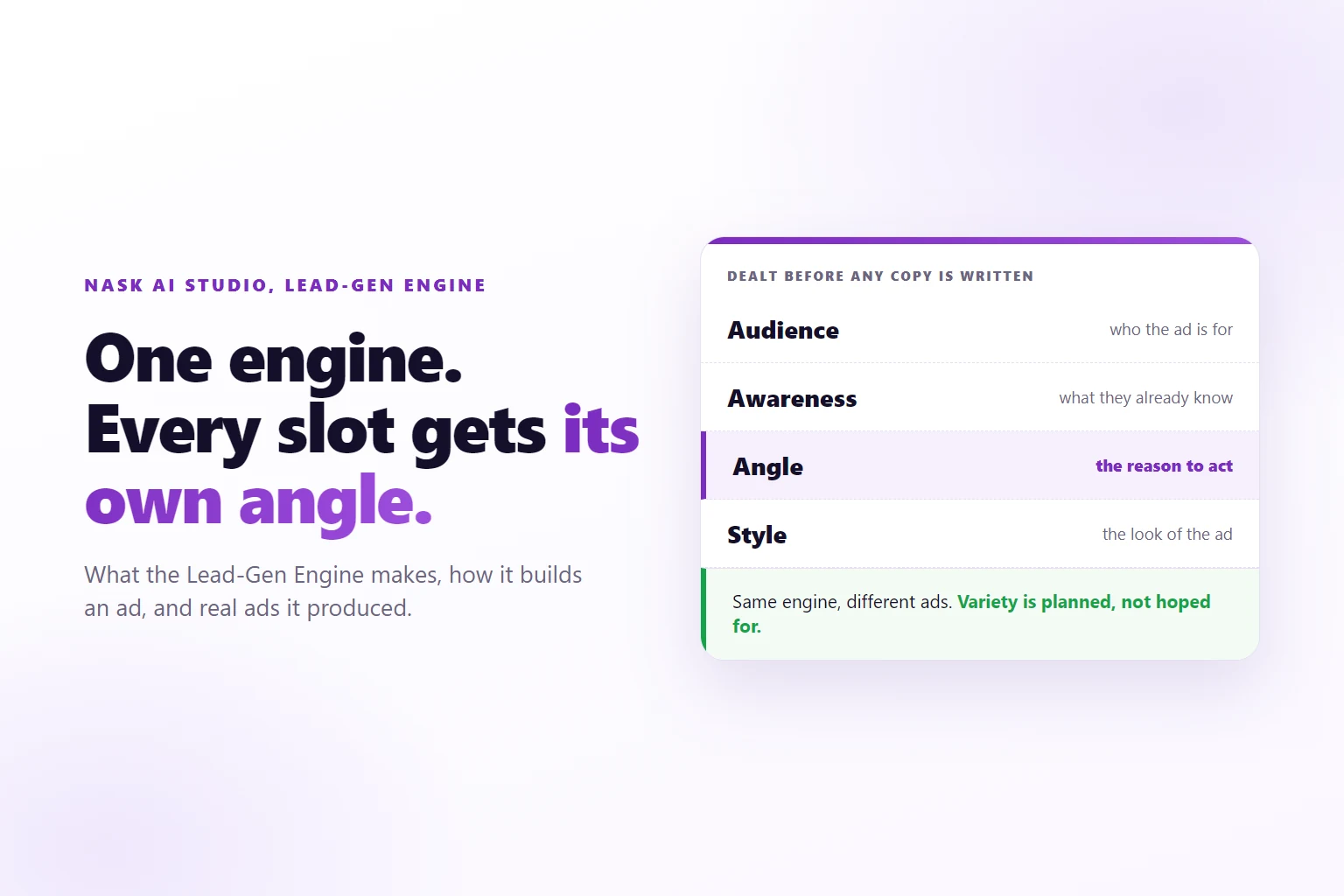
- The Lead-Gen Engine is the full Nask AI pipeline: angles, styles, formats and brand assets, in one run. Each ad gets its own audience, awareness stage, angle and style before any copy is written.
- Variety is built in code and in a planning call that sees the whole batch, not left to chance. That is why a batch reads as many ideas instead of one idea repeated.
- One group holds up to 50 ads and one run holds up to 10 groups, so a single run reaches 500 ads. Generate shows an estimate in credits and asks for a second click.
- Pick it when you need variety across audiences and angles. Pick another engine when you have one polished brief, copy-first ads, a few backgrounds or finished files.
- Every ad starts Approved. Review the offer, the image text, the audience fit, the variety and Compliance Review flags, then publish. New campaigns publish to Meta paused unless you switch the status to Active.
The Lead-Gen Engine is the Nask AI Studio engine that turns one brief into a batch of finished Meta ads, giving each ad its own audience, awareness stage, angle and style before the copy is written, and reviewing every ad before it can publish.
Search for an AI Facebook ad generator and you get lists of tools and generic advice about prompts. What you rarely get is one tool’s output next to the brief that made it. This page does that for one engine. The Lead-Gen Engine is one of the engines inside Nask AI Studio, the part of Nask AI where you write a brief and review the ads that come back. Below: what it makes, how it builds an ad, five real ads it made on Nask AI’s own brand, when to pick it, and when not to.
What the Lead-Gen Engine makes
It makes finished image ads for Meta. Each ad has a picture with its text drawn in, plus a headline, primary text and description for the ad itself. The headline is the short bold line under the image, held to 2 to 4 words and 25 characters. The description is the small line under it, held to 30 characters. Primary text is the body above the creative.
The tile in Studio calls it “The full Nask AI pipeline: angles, styles, formats & brand assets”. Read that as a list of what a brief can steer.
- Angles are the reason to act: Pain Point, Desire, Urgency, Social Proof, Curiosity, Authority and so on. Each ad leads with one.
- Styles are the look. A style pack is a saved look: layout, type and mood. Packs range from editorial photography to pop art to a theatre playbill.
- Formats cover the copy structure and the placements. An image ad is made in 1:1, 1.91:1 and 9:16, and the Complete placements button makes whichever are missing.
- Brand assets are your product shots, people and icons, which the brief can point at.
The engine suits businesses that sell a call, a form fill or an application. It is not tuned for a product catalog with a price on every ad. When your offer is a booked call, the job of the batch is to find which audience and which angle fill the calendar, and that needs many different ads, not many copies of one.
An ad group has a count from 1 to 50, and a run holds up to 10 groups. That puts the ceiling at 500 ads in one run. Most runs are far smaller. The count you pick belongs to the group, and every group has its own brief.
How the Lead-Gen Engine builds an ad: angles, styles, formats and brand assets
A run goes through five stages. Four of them are about keeping the ads apart.
Stage 1, deal. Before any model writes a word, code assigns every slot its audience, awareness stage, angle and style. The assignment has no randomness: the same configuration always produces the same assignments. The model fills in copy and a visual idea, but it never chooses the dimensions. That is deliberate. If you ask a model for twenty different ads, it tends to write twenty versions of the idea it likes best. If you hand each slot a different angle and a different style first, the differences are fixed before the writing starts.
You steer this stage in the Plan step. The Plan sentence for a Lead-Gen group reads “Make 3 ads for Surprise who are Surprise, leading with Surprise”. Each chip is Pick, Surprise or Empty. Pick fixes a value from your library. Surprise lets Nask AI choose a real value from your library for each ad. Empty leaves the field unguided. The first-brief guide walks through the chips one by one.
Stage 2, direct. One planning call looks at the whole batch at once and gives every slot a distinct creative direction: a hook and a visual territory. A call sees up to 10 slots of one group together, which is what keeps neighbours from repeating each other. A bigger group is split into parallel sub-batches of 10, and each sub-batch gets its own slice of territory, because two calls that cannot see each other cannot agree on who takes which idea. Groups never share a call.
Stage 3, write. Parallel writers turn each direction into full copy and a visual concept. They cannot see each other, but their directions are already different, so their outputs diverge by construction. The brief’s hard rules are pulled out once for each chunk, and they decide which headline and description formats fit each slot and which phrases are banned. One rule holds for every ad: the visual idea never contains a logo, wordmark or brand mark. The plan writes scenes, type and layout only.
Stage 4, draw. Each ad is drawn once, by the engine you picked on the “drawn by” chip: Fast, or Quality, which holds more detail and takes longer. The quality chip next to it sets how much effort the drawing gets. Extra placements are made on request.
Stage 5, review. Compliance Review reads every ad Nask AI generates. It can reject an ad before you see it, and a flagged ad shows the reviewer’s reason. With the Adapt to compliance rules switch on, copy and images are also rewritten to your rules before generating. Nask AI is policy-aware here, not a certifier, and Meta decides what runs on its platform.
Two inputs shape all five stages. Brand Docs are the brand documents Nask AI reads: Persona, Strategy, Offer, Audiences, Visual Identity and Creative Angles. Smart Copy writes from them, so the brand has to have them. Write Your Own copy uses your brief instead, and the Brief step holds the other sections: Visual Direction, Brand Assets and Brand Docs.
Sample ads from the Lead-Gen Engine
Below are five ads from two Lead-Gen Engine runs on Nask AI’s own brand. They are shown as the engine produced them, including the claims written on them, which belong to Nask AI’s own offer and are not results for anyone.
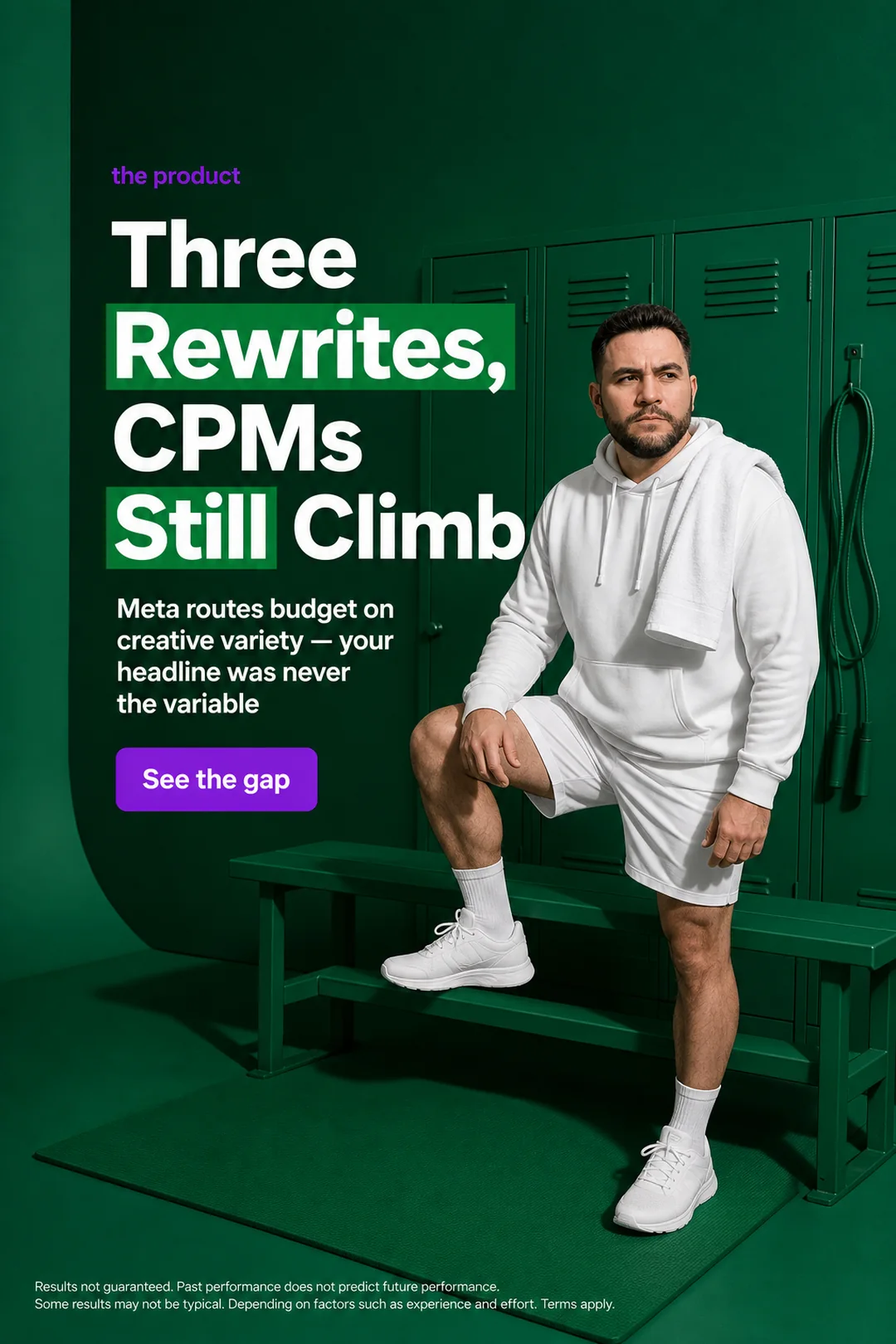
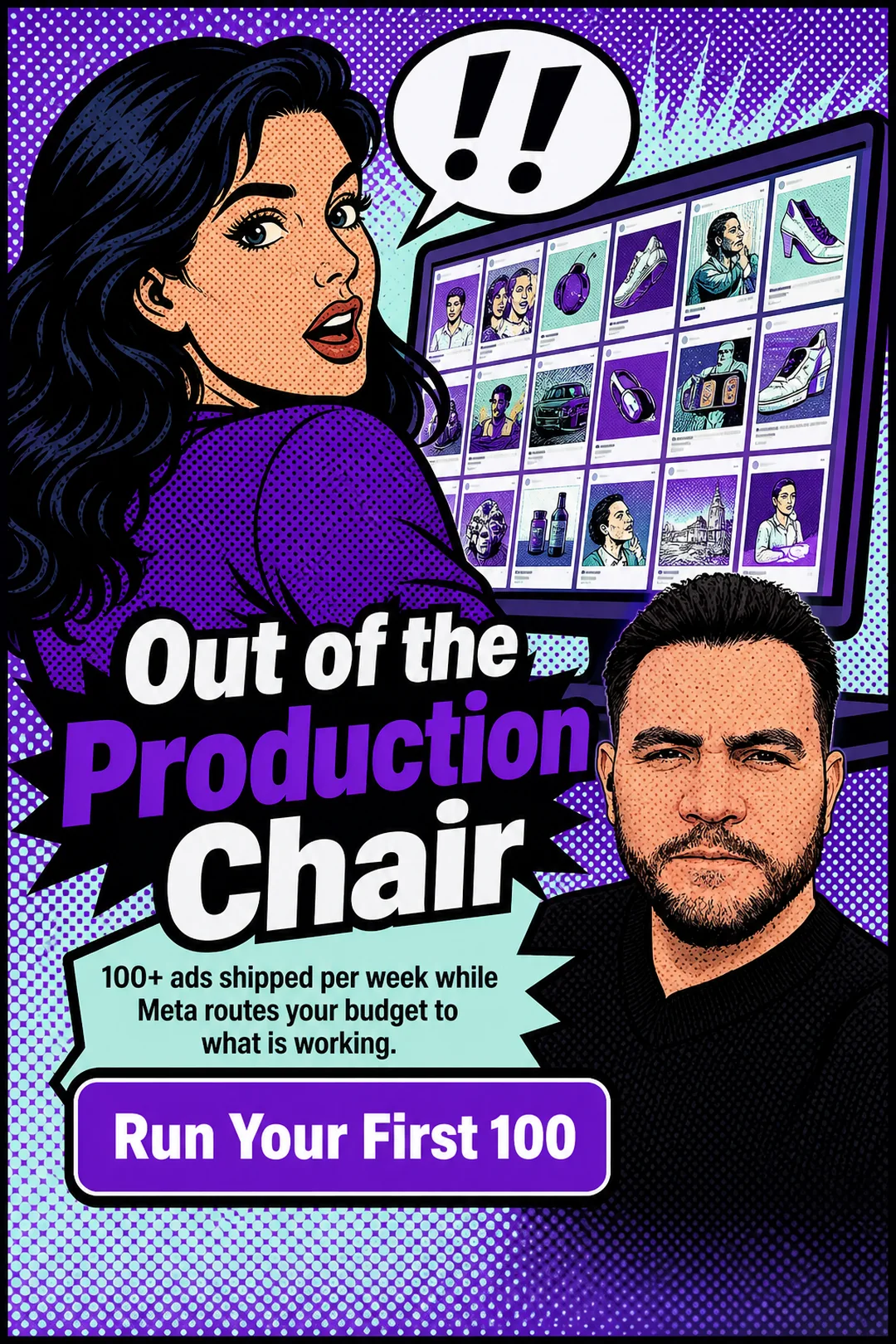
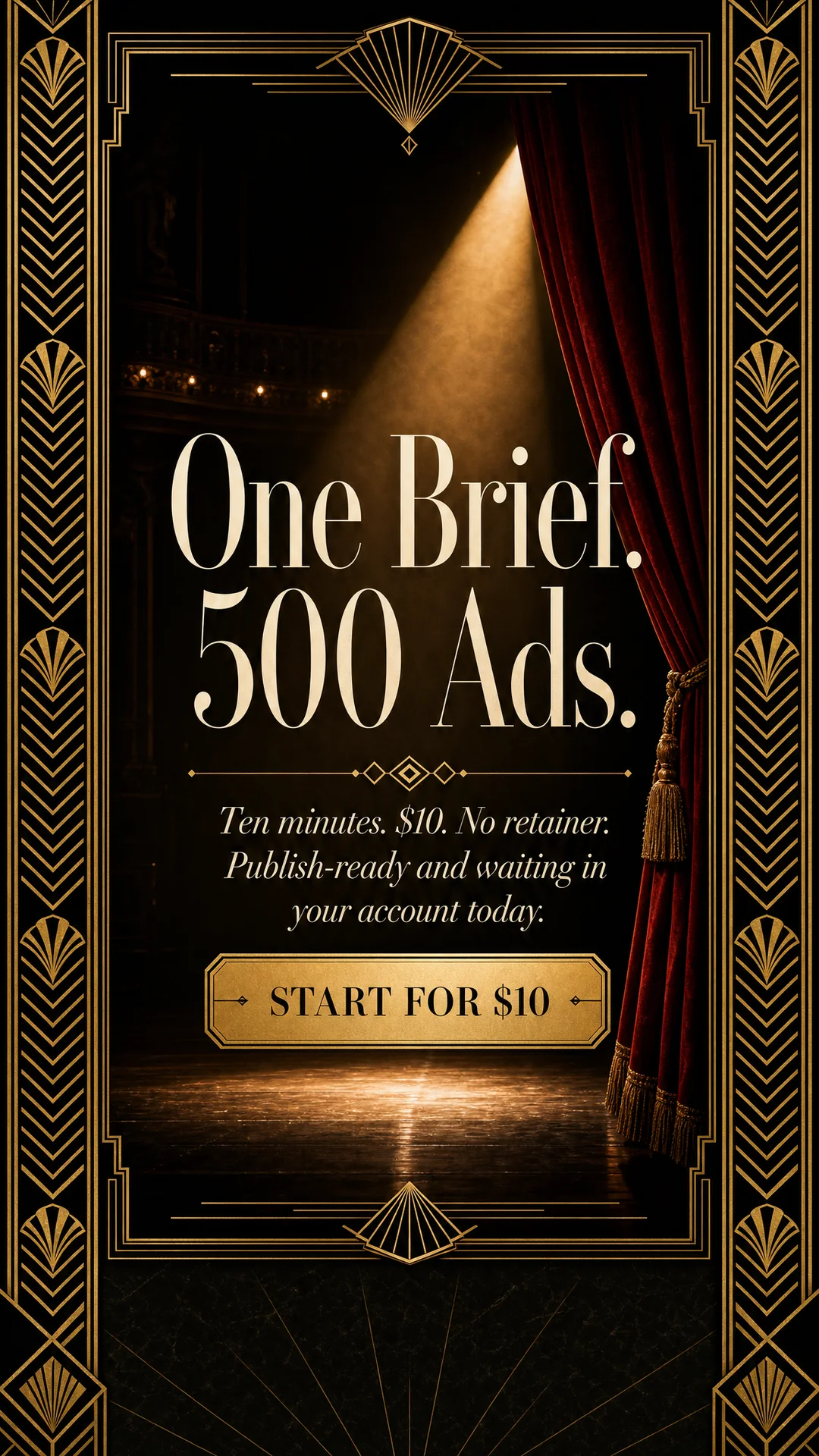

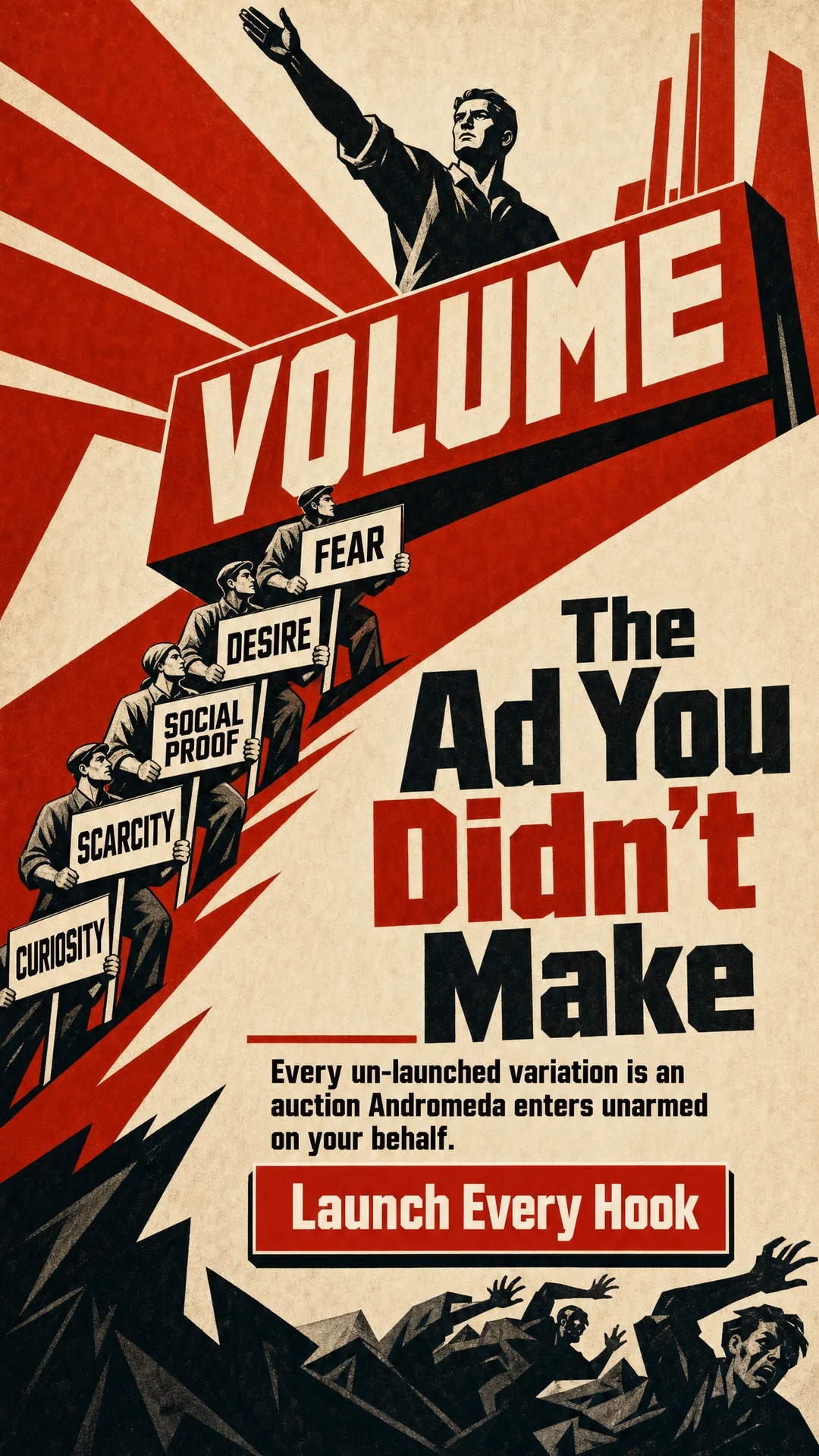
The first two come from a ten-ad run that dealt each slot a different angle: a Pain Point ad aimed at an Unaware audience, a Desire ad aimed at a Problem-Aware one. The other three come from a twenty-ad run on Smart Copy with every chip on Surprise and the style on Surprise. Nobody wrote a brief for that run, and the ads were written from the brand’s own documents.
Read them as a set rather than one at a time.
- The look changes every time. A locker room photograph, a pop art comic panel, an art deco playbill, an airport departure board and a constructivist poster share an engine and nothing else. That is the style pack and the visual direction at work.
- The angle changes the first line. The Pain Point ad names a felt problem. The Desire ad promises a state. The Objection ad answers a doubt. They would not be confused for each other in a feed, and a feed is where they have to survive.
- The words stay short. The text drawn on the images runs 2 to 6 words, and the type is part of the picture, not laid on top afterwards.
- Some will not be yours. The batch includes ads you would reject, because the engine is built to explore. That is the point of the review step.
The same brief can produce a quiet editorial ad and a loud poster in one run, which is how you learn which register your audience answers to. How many of those variations a single ad set should hold is its own question, answered in how many ads per ad set on Meta.
When to pick the Lead-Gen Engine over the other engines
Studio offers several engines, and the picker asks “How should this group’s ads get made?” The engines answer different jobs.
- Lead-Gen Engine fits when the question is which audience and angle work. You want range, and you want the range to be planned.
- Raw-Refined Engine carries the Recommended badge. It polishes your brief into ads with light guardrails and no Nask AI templates. Pick it when you have written the thing you want to say and want it back as ads.
- Direct Response ads write copy first, then build a picture to hold it, in one pass with your style pack applied. Pick them when the words are the product, and read how Direct Response ads work, with real samples.
- Text on a Background lays distinct copy over a small pool of backgrounds, generated once rather than per ad. Pick it when you want consistent visuals with different words.
- Upload Your Own Ads publishes finished creatives exactly as uploaded, with no image credits.
The “More engines” button opens the rest, several with a Beta badge. Video engines sit there. In this post “Lead-Gen Engine” always means the image engine above, and Beta engines are outside its scope.
A rule that holds up in practice: use Lead-Gen when you do not yet know what works, and use a narrower engine once you do. A winning angle with a fixed look is a job for Text on a Background or Raw-Refined Engine, which cost less per ad because they plan less. The batch that discovers the winner is the expensive one, and it pays for itself only if the variety is real.
Creative variety matters to delivery as well as to taste. Creative diversification on Meta covers what counts as different, and Facebook ad variations from one brief covers how to get them from a single brief. What Meta Andromeda changes for ad creative explains why an account with four near-identical ads gives the system little to sort.
How to brief the Lead-Gen Engine in Nask AI Studio
Open Studio, pick Lead-Gen Engine on the Mode step, and the Brief opens at once. A short version of the Brief step, in the order the sections open:
- Copy Direction. Write Your Own, Use a Winner’s Copy or Smart Copy. Smart Copy needs brand docs. Write Your Own opens a box that says “Describe the offer, the audience, and what a win looks like.” Write all three. The offer is what the person gets for responding. The audience is a person, with a role and a problem. A win for a business that sells calls is a booked call, not a click.
- Visual Direction. Choose a style pack, or leave it on Surprise to let the run rotate through packs. Pick the colors too: On-brand, Describe, or leave it on Surprise.
- Brand Assets and Brand Docs. Tick the documents Nask AI should read for this group. If the brand has none, Studio says “No brand documents yet. Generate them on the brand page.” Generating them uses credits.
Then the Plan. Set the count and decide, chip by chip, what you control. Two defaults work well. Pick the audience when it is one kind of buyer, because a Surprise audience gives you ads for people you did not mean. Leave the angle on Surprise, because ads that all lead with one angle are one ad repeated.
Two groups can share one brief with different angles: “Add a group: same brief as group 1” copies the brief and chips into a new group. In Studio’s Generation settings, Variety decides how Surprise fields vary: Smart keeps your picks fixed and re-rolls the rest per ad, Per ad re-rolls every field, and Per group rolls once and shares it.
Click Generate. The button becomes “Confirm · ≈N credits”, with a second figure for placements when the run makes extra formats. A credit is the unit your workspace spends when Nask AI makes an AI call for you. Nothing is charged until you click again.
What to check before you approve the batch
Create is the review screen. Every ad starts Approved, so the work is removal, not selection.
Read each ad against the brief you wrote, not against your taste.
- Offer. The ad can claim only what your brief gave it. If an ad names a price, a number or a result you did not supply, reject it. Studio’s reject reasons include “Offer we do not have”.
- Image. Text drawn inside an image is the weak point of any image generator. Look for garbled words, wrong spellings and a template showing through. The reasons “Broken or garbled” and “Template showing” exist for this.
- Audience. An ad dealt an audience should sound like it was written for that audience. “Wrong audience” is the reason to pick when it does not.
- Variety. Scan the batch for two ads that open on the same idea. Reject one. A batch of twenty with six real ideas is worth more than twenty with two.
- Compliance. A flagged ad carries the reviewer’s reason. You can approve it anyway if you disagree, and the decision is yours. An ad the reviewer could not judge is held as Needs review until you look.
Rejecting asks why: pick at least one reason or write a note. Regenerate rejected re-renders only the rejected image ads, and Feedback and Rerun starts a new run with your note as revision notes. Each spends credits and shows its estimate first.
Keyboard keys speed the pass: W approves, E marks Needs edit, S rejects, A and D move between ads.
When the approved set is right, Publish hands it to the publisher. The publisher shows its Meta settings on a confirm step before anything is sent, and new campaigns Nask AI creates publish to Meta paused unless you switch the status to Active. The step after review is covered in publishing Meta ads with Nask AI Upload & Publish.
When the Lead-Gen Engine is the wrong engine
Skip it when:
- The ads already exist. Use Upload Your Own Ads, or go straight to Upload and Publish. There is nothing to generate.
- You know the one ad you want. Write it, polish it with Raw-Refined Engine, and stop. Range is overhead when the answer is known.
- The offer is a product with a price on every ad. The engine is tuned for lead generation. A catalog with SKUs and prices needs a product path, which is not this engine.
- You have no offer yet. A brief cannot invent one, and the engine will not either. No ad can carry a claim your brief did not give it.
- You need a person on camera or a video. Those are other engines, several in Beta.
- You need a number to be true. The engine writes copy from your brief and your documents. It does not know your conversion rate, and an ad that states one is an ad you wrote the number into.
The engine also asks for a review. If you will not read the batch, do not make one. A hundred unread ads are not an asset.
When many ads should share a few backdrops, Text on a Background lays distinct copy over a small pool of backgrounds.
Frequently Asked Questions
What kind of ads does the Lead-Gen Engine make?
Finished image ads for Meta with a headline, primary text and description written for each one. Every ad gets its own audience, awareness stage, angle and style, so a batch looks like many ideas rather than one repeated. It is built for businesses that sell a call, a form fill or an application, not a shopping cart.
How is the Lead-Gen Engine different from the other Nask AI engines?
It is the full pipeline. The plan deals each slot its audience, awareness stage, angle and style in code, one call keeps the hooks distinct, and every ad is reviewed. Raw-Refined Engine polishes one brief, Direct Response ads write copy first, and Upload Your Own Ads publishes finished files without making anything.
How many ads can one Lead-Gen Engine run produce?
A group holds 1 to 50 ads, and a run holds up to 10 groups, so the ceiling is 500 ads in one run. Each group has its own brief, count and chips. Generate shows an estimate in credits first and asks for a second click, so nothing starts until you confirm the cost.
Can I use my own brand colors, logo and copy rules with the Lead-Gen Engine?
Yes. The Brief step has Visual Direction for style packs and colors, Brand Assets for your own brand assets, and Brand Docs for the documents Nask AI reads. Add a Copy Compliance or Image Compliance document and the Adapt to compliance rules switch rewrites copy and images to your rules before generating.
What do I review before ads from the Lead-Gen Engine go to Meta?
Every ad in Create. Each starts Approved, so you reject the ones you would not run and give a reason. Check the offer, the image text, the audience fit, the variety and any ad Compliance Review flagged. New campaigns Nask AI creates publish to Meta paused unless you switch the status to Active.
Try the Lead-Gen Engine in Nask AI Studio
The fastest way to judge an engine is to watch it work on your own offer. Book a demo and see the Lead-Gen Engine turn one brief into a batch you review ad by ad, or create your Nask AI account and write your first brief yourself.
Book a demo and watch the Lead-Gen Engine deal each ad its own angle and style, then review the batch one ad at a time before anything goes to Meta.
Book a demo