 Nask AI

Key takeaways
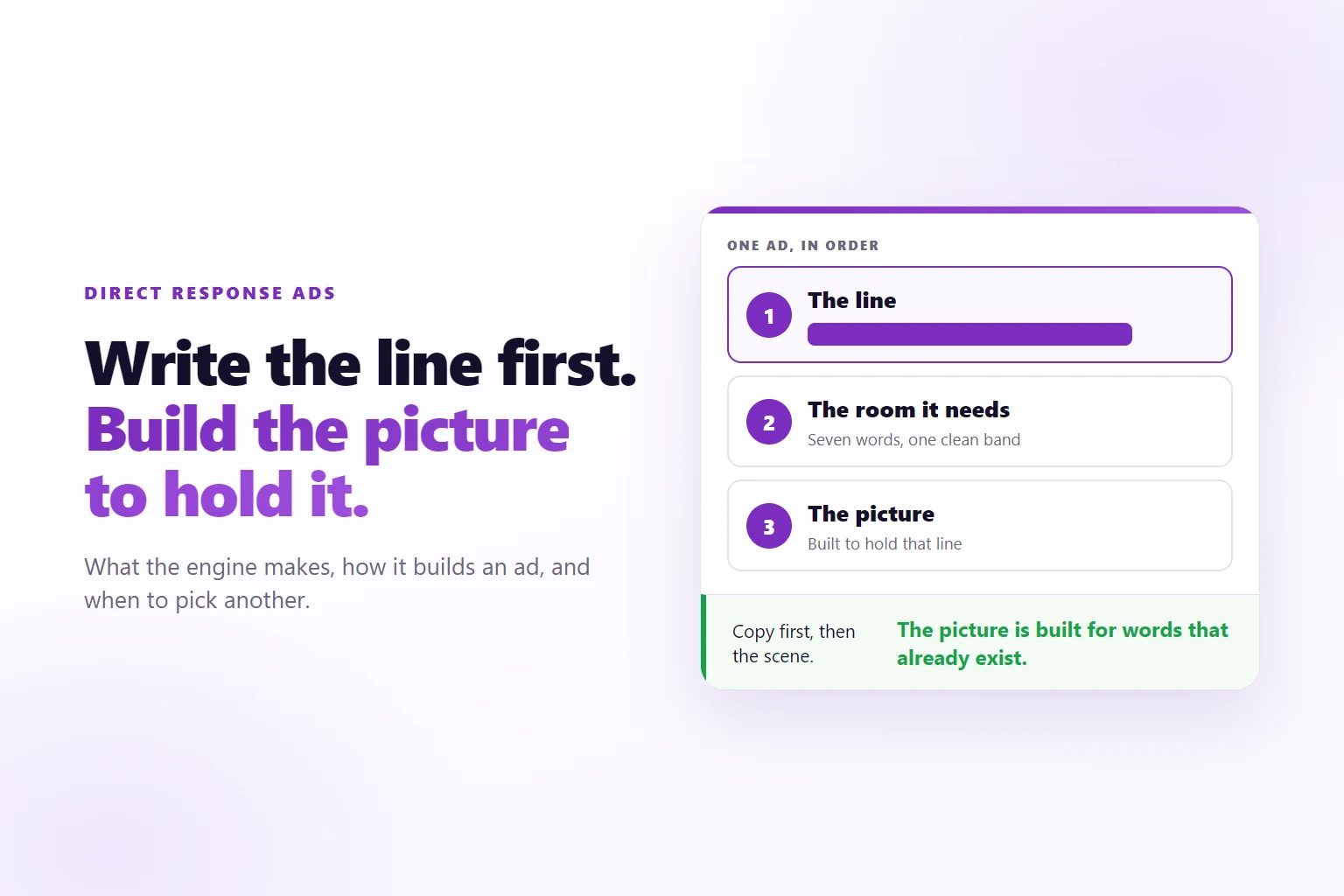
- The Direct Response ads writes the line on the image first, then designs a picture with room for exactly those words.
- When you pick a copywriter or choose Surprise, each ad is built from one of that copywriter’s sentence patterns, filled with your brand’s facts.
- Ads are written four at a time, in parallel, and each chunk goes to the image step as soon as its copy is written.
- Your style pack, colors and brand docs apply after the copy is written, so they shape the picture and not the argument.
- You still review every ad: the engine can miss, and the swap test is the fastest way to see how.
The Direct Response ads is the Nask AI Studio engine that writes the line on each Meta ad image first, then builds a picture designed to hold that line, optionally using a copywriter’s sentence patterns, with your style pack applied.
You have a brief, a deadline and a batch of ads to ship. Many tools write a picture first and then ask the words to squeeze into whatever space is left over. The result has a look: a headline floating over a face, a call to action jammed into a corner, a line too long for the box it landed in.
This page is about the engine in Nask AI Studio that works in the opposite order. It covers what the engine makes, how it builds an ad, what real output looks like and when to pick it. The samples are real output from Nask AI’s own brand, misses included.
What the Direct Response ads makes
The Direct Response ads makes static image ads for Meta where the line on the image does the persuading. A person scrolling sees the picture and its line first. Everything else, the primary text and the headline, is read after it. So this engine treats the line on the image as the ad and builds the rest around it.
Each ad it returns has the same set of parts:
- The line on the image. The main sentence, sitting over the picture.
- A subtitle. One new fact in twelve words or fewer. It never restates the line.
- A call to action on the image. Two to four words naming the specific next step, never “Learn More”.
- A Meta headline, primary text and description. The primary text is capped at 475 characters and has to say early who the ad is for.
- A picture. Described and rendered after the words exist, built to hold them.
In Studio the engine shows up on the Mode step as “Direct Response ads”, with the tagline “Copy first, picture built to hold it. One pass, your style pack applied”. On the Plan step its row reads as a sentence: how many ads, the engine, “copy first, one pass, style pack applied”, and a chip for who the ads are written like.
“Direct response” itself means advertising that asks for one action now, such as booking a call, rather than building a feeling for later. That is why the engine is strict about the call to action and the concrete anchor in each line. It is a way of writing the ad, not a different kind of Meta campaign.
How the Direct Response ads builds an ad: copy written first
The engine gives the writer a rule before anything else: the line on the image is the ad. Write it first, before picturing anything, because it is the one piece of copy a scrolling reader is guaranteed to see. Everything else exists to support a line that is already written.
Then, and only then, the picture. The scene is described as a container built for those exact words. The writer already knows how many words there are and how much room they need, so it designs a scene that gives them a clean place to sit at a size a person can read on a phone. It does not write a nice picture and hope the words fit in the leftover space.
Three details keep the picture honest.
The picture shows what the line names. If the line names a person, a team or a moment, that thing appears in the frame doing what the line describes. A still life standing in for the person is a worse ad than the person.
The picture matches the line’s tense. A line about a problem gets a picture of the problem. A line that makes a promise gets a picture of the promise kept. A picture that argues against its own headline loses, because the picture is seen first.
The only words in the scene are the ad’s words. The engine is told to keep writing surfaces, such as screens, calendars and signs, out of frame, show them blank, or name the few words they carry. The ad’s own line sits over the picture, never painted on a van or a wall.
It also never asks the image model for a mark. The real logo is added afterwards by a system that has the real file, because an image model invents a different logo every time it is allowed to.
The sentence patterns behind the line
A blank page produces beige. So when you pick or Surprise a copywriter, each slot in a batch is assigned a real sentence skeleton before the writing starts, something like “audience: it is time to stop the problem, use the fix”. The writer fills the blanks from your brand’s facts and keeps the pattern: its clause order, its punctuation, its two-part turn.
Where the pattern comes from is the copywriter chip on the Plan step, the one that follows the words “written like”. It has three states, and each means something different.
- Pick one copywriter and every ad in the group is built from that copywriter’s patterns.
- Surprise and the engine draws a copywriter uniformly at random for each ad.
- No author, the default, and no pattern is assigned at all. The model writes freely, closer to how the Lead-Gen Engine behaves.
The default is deliberate. A house style is something you choose, never something that quietly outranks your brief.
Two-stage selection exists because of a bias it removes. If every pattern from every copywriter went into one pool, a copywriter with fifty patterns would be drawn about eight times as often as one with six, and the one with six would never ship. So the copywriter is picked first, evenly, and the pattern second, from that copywriter’s own pool. Pool size changes the variety inside one copywriter. It never changes how often that copywriter is heard.
Every line also needs a concrete anchor inside the pattern: the trade named, the people or equipment named, a real figure, a real count, or a month when the brief gives a time window. A line with none of those is a category, not an ad. “Downtime is expensive” is a category. A line naming the machine that sat cold from Tuesday to Friday is an ad.
One more rule matters for trust. The reader is never the villain. The engine names the practice, the category or the competitor that is costing the buyer, never the buyer’s own character. A pattern with a villain slot uses a practice the brand argues against, and never a named person or company the brand material does not mention.
How the engine runs a batch
A batch is split into chunks of four ads. Each chunk is normally one model call, with a retry only if the output is malformed or a visual breaks a ban in your brief, and the chunks run side by side. Inside a chunk the four ads can see each other, which cuts down on phrasing echoes. Across chunks, the assignment does the work of keeping ads distinct, so each slot arrives already carrying its own angle and shapes.
Each chunk is sent to the image step as soon as its copy is written. It does not wait for the rest of the batch, so a slow chunk does not hold finished ads out of the render queue. The style pack, the colors and the text density from your Brief are applied at that moment, after the copy exists. That ordering matters: your visual choices shape how the line looks, and they cannot rewrite what the line says.
There is one honest limit to the design. The engine does not run a mechanical checker over its own output to see whether the writer followed the assigned pattern. Earlier versions did, and the check spent most of its model calls without changing what shipped, so it was removed. The pattern is a ground rule for register and structure, not a contract. Because adherence is not checked, a line can drift from its pattern. Compliance Review is the one gate, which is why reading the ads yourself is not optional.
Sample ads from the Direct Response ads
These are real ads made by the Direct Response ads for Nask AI’s own brand, from an earlier run. Nothing here was touched up after it came out of Studio, and no performance figures are attached to any of them, because there are none to report.


Look at what the samples share. The line has a clean band to sit in. The scene holds a screen of finished ad tiles, which only this business’s world would contain. And the only words in the picture are the ad’s own.
When to pick the Direct Response ads over the other engines
Pick it when the sentence is the product. If your offer needs a line that names an audience, turns on a problem and lands on a fix, this engine builds for that. Each engine in Studio starts from a different premise, and the choice is mostly about what you already have.
- Lead-Gen Engine, “The full Nask AI pipeline: angles, styles, formats & brand assets”. Pick it when you want every choice laid out as a control, and see the Lead-Gen Engine with real sample ads. The Direct Response ads trades some of that for a fixed order of work.
- Raw-Refined Engine, which polishes your own brief into ads with light guardrails. Pick it when you have written the brief you want and need it turned into ads.
- Text on a Background, “Distinct copy laid over a small pool of backgrounds. Backgrounds generate once, not per ad”. Pick it when you want many lines over a few shared backdrops.
- Upload Your Own Ads. Pick it when the creatives already exist and you only need them published.
- The video engines, when the ad is a video and not a still.
A useful rule: if you can already say what the ad should argue, choose this engine. If you can already say what the ad should look like, choose another. For making many versions from one brief, see Facebook ad variations from one brief. For the wider question of how many distinct ads a batch needs, see how many ads per ad set and creative diversification.
How to brief the Direct Response ads in Nask AI Studio
The Brief step has four sections, and this engine uses all of them: Copy Direction, Visual Direction, Brand Assets and Brand Docs. The walk-through of the whole Studio flow is in your first brief in Nask AI Studio. Here is what matters for this engine.
- Pick the engine on the Mode step. Choose “Direct Response ads”.
- Set Copy Direction. The three tiles are “Write Your Own”, “Use a Winner’s Copy” and “Smart Copy”. Write Your Own is the one to use when you know the offer. Smart Copy writes from your brand docs, so Studio holds the Continue button until the docs exist.
- Write the offer, the audience and what a win looks like. The brief’s hard rules outrank the engine’s patterns. If your brief bans a claim, a word or a month, a pattern that needs it keeps its intent and drops the part that breaks the rule.
- Set Visual Direction. The cards are “Select styles”, “Use your own”, “Use winner’s image” and “Smart image”, plus colors, which can be on-brand, custom or surprise. This is where the style pack comes from, and it is applied after the copy exists.
- Decide on Brand Assets and Brand Docs. Brand Docs is “which docs Nask AI reads”. The more specific your docs, the more real anchors the writer has.
- On the Plan step, set the count and the copywriter. A group holds up to 50 ads. Pick “written like” a copywriter, choose Surprise, or leave it empty.
- Generate. Credits are spent here, so start with a batch you can read in one sitting.
The engine is told never to fabricate a statistic, price, offer, guarantee, award, testimonial or result figure, and any figure on an image has to appear in your brand material as that exact figure. If you give it no number, it uses a count it can stand behind or drops the number. So the brief is where your real proof has to live.
What to check before you approve the batch
Every ad starts approved until Compliance Review or you say otherwise, so this section is the job. Check five things on every ad.
The line. Read it out loud. Does it name who it is for? Does it keep the shape of a real sentence, or has it collapsed into a slogan? Does it carry a concrete anchor?
The numbers. Every figure on the image and in the copy has to match your brand material exactly. A figure that looks plausible and is not in your docs is the mistake that costs the most.
The picture against the line. Does the picture show what the line names? Does it match the line’s tense?
The swap test. Imagine the picture pasted onto an ad for a dentist, a roofer or a bakery. If nobody would notice, it is the wrong picture.
The words and marks inside the scene. Look for lettering on screens, signs and documents that nobody asked for, and for logos or brand names that are not yours.
Here is a real miss from the same run. The line reads “Announcing Batch Ad Publishing, Now Within Reach Of Every Agency”, and the picture is a fashion atelier with mannequins and fabric rolls. The line is clear and the band is clean, but the room belongs to a dressmaker. It fails the swap test, and it is exactly the kind of ad you reject.

In Studio you can reject an ad and say why, from a fixed list of reasons. Pick the real one. It keeps your own review honest.
Compliance Review is worth understanding precisely. Before rendering, the engine rewrites copy to your compliance rules, but only when your brand has compliance switched on and has compliance documents to check against. After rendering, a vision review runs for every engine. Neither replaces you. New campaigns publish to Meta paused, so approval and activation stay two separate acts, as the guide to publishing ads paused with Nask AI shows.
When the Direct Response ads is the wrong engine
Five situations, each with a better route.
You need the real product in the picture. This engine builds scenes. If a shopper must recognise your actual product, use the Product Engine, which photographs your real product into new scenes.
You have already written the ads. If the finished creatives exist, Upload Your Own Ads publishes them exactly as uploaded, with no image credits.
You want one design with many lines. If the look is fixed and only the words change, Text on a Background generates the backgrounds once and reuses them.
The ad is a video. This engine makes stills. Video ads come from the video engines.
Your offer has no facts to anchor on. The engine will not invent a number, a result or a customer. If the brief gives it nothing concrete, the lines will be competent and thin. Fix the brief first, with real counts, real specifics and a real audience.
It is also the wrong choice when you want a precise visual, such as an exact layout or a specific scene. The engine decides the picture from the line. If the picture is the idea, brief another engine. Why distinct ads matter to Meta’s delivery is covered in what Andromeda changes for ad creative.
Frequently Asked Questions
What kind of ads does the Direct Response ads make?
Static image ads for Meta where the line on the picture carries the argument. Each ad comes with that line, a subtitle, a short call to action, a Meta headline, primary text and a description, plus a picture built to hold the line. It is a text-forward engine, so it suits offers that need a sentence to land.
How is the Direct Response ads different from the other Nask AI engines?
The order of work. It writes the copy first, then designs the picture around the words it wrote, in one pass per ad, and it applies your style pack to the render. A named copywriter’s sentence patterns can also shape the line.
How many ads can one Direct Response ads run produce?
A group holds up to 50 ads, and a run holds up to 10 groups, so the ceiling is 500 ads. Ads are written in chunks of four that run side by side, and each chunk goes to the image step as soon as its copy is written. Start with a count you can review, since you approve each ad.
Can I use my own brand colors, logo and copy rules with the Direct Response ads?
Yes. The Brief has a Visual Direction step for style packs and colors, including an on-brand option, and a Brand Docs step for the documents Nask AI reads. The real logo is added afterwards from your actual logo file, so the image model never has to invent a mark. Hard rules in your brief outrank the engine’s own patterns.
What do I review before ads from the Direct Response ads go to Meta?
Read the line first, then ask whether the picture fits the line and whether it would fit another industry unchanged. Check every number against your brand material, and check that nothing reads as a claim you cannot support. A vision review runs after rendering for every engine, and with compliance switched on, copy is also rewritten to your rules first. New campaigns publish to Meta paused.
Try the Direct Response ads in Nask AI Studio
Take one offer you can describe in a paragraph, with at least one real number in it. Create your Nask AI account, pick the Direct Response ads on the Mode step, brief a batch small enough to read in one sitting, and run the five checks above on every ad. Or book a demo and watch it done from one brief.
See Nask AI write the line first and build the picture to hold it, for your own offer, with your approval on every ad. New campaigns publish to Meta paused by default.
Book a demo