 Nask AI

Key takeaways
- An instant form tends to bring more leads for less money, and a landing page tends to bring fewer leads who meant it.
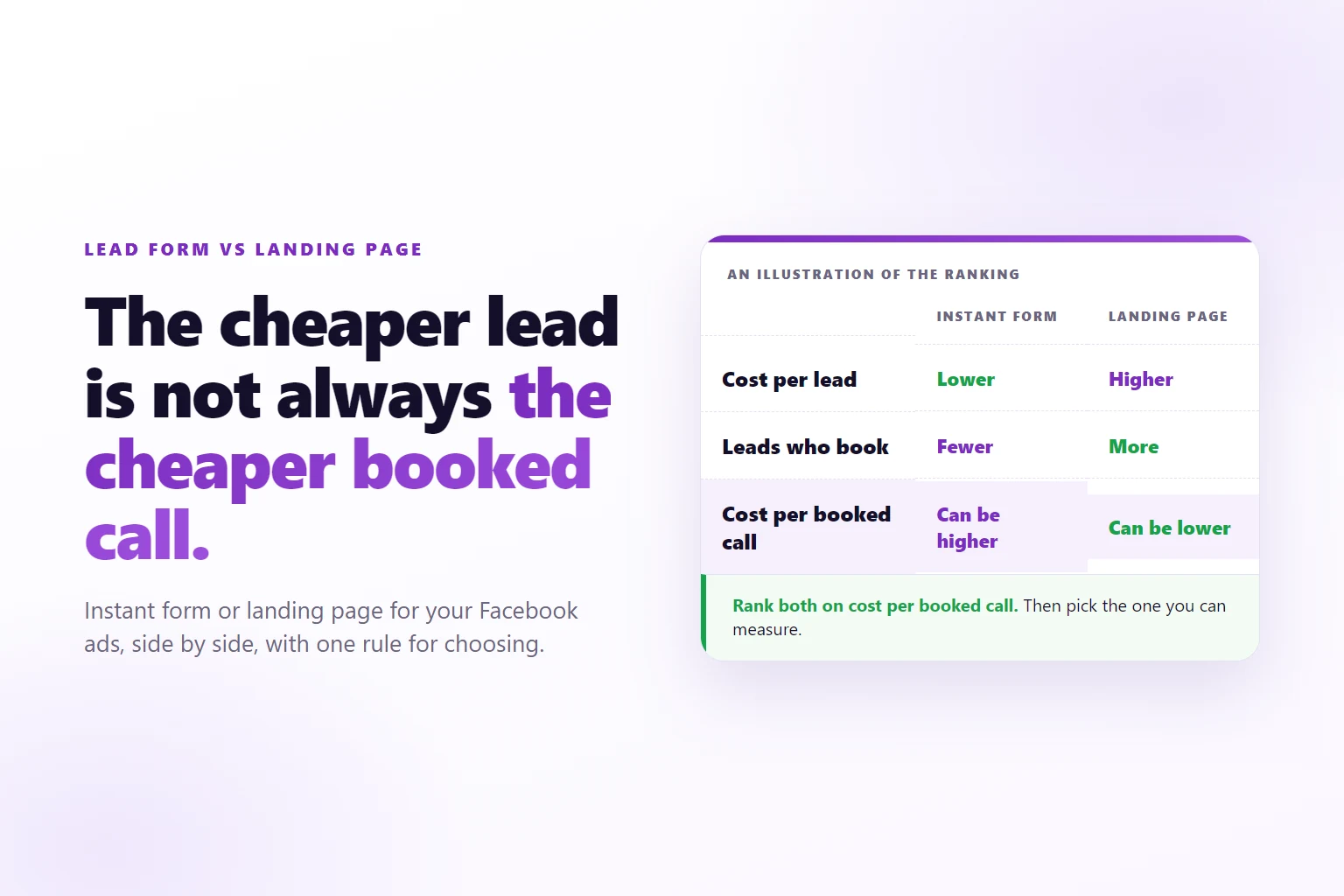
- Rank both formats on cost per booked call, not cost per lead, because that is the number that can flip the order.
- A lead that stays inside Meta is outside the tracking on your own pages.
- The format whose leads you can follow to a booked call is the one you can improve.
- Follow-up speed counts as much as format, and a landing page can book the call before anyone picks up the phone.
A Facebook lead form versus a landing page is a choice about where an ad sends the lead: into a form inside Meta’s apps, or onto a page of your own. The right format is the one whose leads you can follow to a booked call.
You run Facebook ads for a service business, and you have to decide where the lead goes. Meta offers a form that opens inside the app with the person’s details already filled in. Your website offers a page you wrote, with a form or a booking calendar at the bottom. Advertisers who have run both often describe the same split: the form brings more leads for less money, and the page brings fewer people who show up.
That split is a tendency, not a law, and it hides four other differences that decide whether the extra leads are worth having. This page puts the two formats side by side on six points, shows what each one needs in Nask AI, and ends on a rule for choosing.
What are you comparing?
An instant form is a form that opens inside Facebook or Instagram after someone taps your ad. Name, email and phone are prefilled from the person’s profile, they tap submit, and Meta stores the lead. They never leave the app.
A landing page is a page on your own website that the ad links to. It explains the offer, asks for details on a form or a booking widget that you control, and decides what happens next.
In the campaign setup this is a setting on the ad set, called the conversion location. In Nask AI it is the Conversion location menu in Upload & Publish, in the ad set section under Conversion & goal. Its options include Website, which sends people to your page, and On Facebook / Instagram, which keeps the conversion inside Meta’s apps.
Instant form vs landing page, side by side
The table below describes how each format tends to behave, based on how the two work. It is reasoning, not a measurement. Your account decides, and the way to find out is the cost per booked call, covered further down.
| Instant form | Landing page | |
|---|---|---|
| Volume | Higher: one tap and the details are prefilled | Lower: the person leaves the feed, reads and types |
| Cost per lead | Tends to be lower | Tends to be higher |
| Lead quality | Mixed: easy to submit by accident or on autofill | Higher intent on average: effort is a filter |
| Tracking after the lead | The lead sits in Meta, and your site never sees it | Every step is on a page you own, so a pixel can catch it |
| Follow-up speed | The lead exists at once, but reaching your team depends on a connection you set up | The lead can book a slot on the next screen, before anyone calls |
| What it needs to start | A form built in Meta | A page that loads fast, plus nsk.js, Nask AI’s pixel, on it |
| What it needs in Nask AI | The form is built in Meta, outside Nask AI | nsk.js, a Lead and a Schedule stage, a Leads or Schedule template |
Volume and cost per lead: why the form looks better
The instant form wins the top of the table because it removes steps. Each step between the tap and the lead is a place to leave, and each one costs you a share of the people who tapped. The form has the fewest steps and the least typing, so it tends to collect the most submissions for the same budget, at the lowest price per submission.
A landing page also carries a cost the form does not: the wait. Google’s web.dev treats a largest contentful paint of 2.5 seconds or less, measured at the 75th percentile of page loads, as good (web.dev on LCP). That is the time until the main content of the page shows. A page that misses it makes the person wait after a tap they already made, and the instant form has no such wait.
So a landing page has to earn its extra friction. It earns it only if the people who get through are worth more than the people it lost. That is a claim about quality, not about price, which is the next point.
There is one more reason the cost per lead of a form looks good: it counts accidents. A thumb that lands on a prefilled form is a lead. Cost per lead is the right number for spotting a form that stopped working, and the wrong number for choosing between formats.
Lead quality: effort is a filter
Quality follows effort. A person who types an answer to a real question has spent something on you, and a person whose phone filled five fields in one tap has not. Nielsen Norman Group’s web form design guidance recommends cutting fields you do not need, because each one adds effort. Read that as the price of friction: every field you keep costs volume, and buys intent.
Both formats let you spend friction, in different ways.
On an instant form, you choose the questions, and you can add custom ones that autofill cannot answer. At the time of writing, Meta’s form builder also offers a form type that adds a review screen before the lead is submitted, which it names higher intent, next to a type built for volume. Check Meta’s current form options before you rely on that, because they change.
On a landing page, the page itself is the filter. It can say what the offer is, who it is for and what happens after the form, which sets expectations before anyone types a letter. A person who read all that and still submitted knows the next step is a sales call. A person who tapped a prefilled form in a feed may not.
Neither format fixes quality alone. The first lever is the event Meta optimizes for: if the campaign optimizes for a form submission, either format finds cheap submitters, and a booked call is a better target for most service businesses. How Meta optimizes for a CRM stage after an instant form is covered in Meta conversion leads optimization. The format is the second lever. It decides how much friction stands between the tap and the lead, and whether you can see what the lead did next.
That last point decides the comparison. If you cannot see which leads booked, you cannot tell which format brings better leads, and you will be judging both on cost per lead. A cheaper lead is not a cheaper booked call, and the ranking can flip between the two numbers.
Tracking: where the chain breaks
Tracking is where the two formats differ most, and it has nothing to do with taste.
An instant form lead is created inside Meta. The person never loaded a page of yours, so your pixel has nothing to record, and the click identifier that a page would have stored in a cookie never reaches your site. The lead is in Meta, and everything after it, the call, the meeting and the payment, happens in other systems. Joining them is possible: Meta offers an optimization goal for instant form campaigns, called conversion leads, that learns from stages your CRM sends back. It needs the CRM connection and enough volume to learn from, so read Meta’s current documentation for the requirements before you commit to it.
A landing page keeps the chain on pages you own. The form, the booking widget and the thank-you page each run on your site, so one script can catch all of them and tie each to the ad click. The identifiers that make this work are covered in how to track leads from Facebook ads to sales. In short, the click identifier fbc, the browser identifier fbp and the email from the form let a later stage be matched to the person and the ad.
In Nask AI the pixel is nsk.js, and it catches four kinds of stage on a page: a form, a booking or form widget, a page visit and a line of your own code. The server brings in the rest: a CRM stage in Attio, a Stripe payment or a webhook. Every stage caught on a page has a test you run yourself, so you know it works before ad money depends on it.
None of that reaches a lead that stayed inside Meta. This is the honest limit of the page-based approach, and it is the real cost of the instant form: you can run it, but you cannot follow it to a booked call with a pixel.
Follow-up speed: who answers first
Speed matters for any lead. Harvard Business Review’s study of online sales leads concluded that most companies are not responding nearly fast enough (HBR, The Short Life of Online Sales Leads). The format changes how fast you can answer, in two ways.
An instant form lead exists the moment it is submitted, and that is fast. But the lead sits in Meta. Unless a connection pushes it into your CRM or inbox, it waits until someone opens it there. Some instant form problems that look like bad leads are leads that nobody called the same day.
A landing page lets you answer before any human is involved. After the form, you send the person to a booking page, and the lead picks a slot while their attention is still on you. The booking is the follow-up. A lead who books a call has raised a hand twice, once on the form and once on the calendar, and your team’s response time stops being the bottleneck.
This is the one point where the table reads in favor of the page for a practical reason, not a statistical one. If nobody on your side can answer a new lead fast, a format that books the call itself fits you better than a format that depends on a phone.
What each format needs in Nask AI
Nask AI’s tracking, its publishing templates and its stage tests are built around the website route. Here is what that route takes, in order.
- Install the pixel. In Nask AI, open Brands in the sidebar, pick the brand and open the Growth tab. In the Pixel and funnel section, the card 1. Install the pixel holds the nsk.js snippet and the Domains list. The snippet goes in the head of every page of the funnel, thank-you pages included. The Nask AI pixel setup guide walks through it.
- Add the stages. In the card 2. Funnels and stages, add a Lead stage detected by Form on a page, and a Schedule stage detected by Booking or form widget. Use Test this stage on each until it reads Detected.
- Pick a template. In Upload & Publish, under Pre-built templates, Leads · Single Image · ABO is described as “Lead generation optimized for the Lead event. Manual budget per ad set.” and Schedule · Single Image as “Appointment booking optimized for the Schedule event.” In the template preview, the Conversion location reads Website.
The instant form route starts outside that list. You build the form in Meta, with its questions, intro and privacy notice. Nask AI does not publish instant form ads today, so build that ad set in Meta. Nask AI has no instant form builder or lead reader in the app, and nsk.js sees only what happens on your pages. So the stages after an instant form lead are tracked wherever that lead is stored, and sent back from there.
Whichever format you choose, the ad is still the first filter anyone meets. Creative variety per ad set explains why different angles reach different people, and that holds for a form and a page alike.
The decision rule
Do not pick on volume or price. Ask three questions, in this order.
- Can you see the booked call from this format? Pick the one you can measure. A page with nsk.js on it, a Schedule stage and a passed test beats an instant form whose leads you cannot follow. If your CRM follows every lead through to a meeting and feeds stages back to Meta, an instant form can be measured too, and this question ties.
- Can someone answer a new lead fast? If not, let the page book the call. A lead who picks a slot on the next screen does not depend on anyone’s phone.
- Still tied? Run both and compare. Put the instant form and the landing page in separate ad sets with the same offer and the same budget. Give them time to book, then judge them on cost per booked call, not cost per lead.
Here is how that plays out in three common cases.
- A founder with a homepage and no offer page, who needs leads this week. The instant form, with a review step and a custom question that autofill cannot answer, while a page is built. Get the leads into your CRM the same day.
- An agency running a service business that already has a booking calendar. The landing page, with nsk.js on it, a Schedule stage and a booked-call optimization event. The tracking is the reason, because the agency can then report on booked calls, not leads.
- A team with a fast phone and a thin budget. The instant form can work, because speed to first call is covered and the volume feeds Meta’s learning. Judge it on cost per booked call in the CRM after the leads have had time to book.
When the landing page is the wrong answer
The page is not better by default. Skip it, or delay it, in these cases.
- The page is slow or generic. A page that misses the load time above, or says nothing a form does not, adds friction and filters nothing.
- Volume is thin. Meta’s commonly cited guidance is about 50 optimization events per ad set per week to leave the learning phase. A page that cuts leads below that can leave the ad set stuck, and an instant form can supply the volume while you fix the page.
- The event is still Lead. If the campaign optimizes for a form submission, either format finds cheap submitters. Change the event to a booked call first, then compare formats.
- Nobody maintains the page. A page that breaks silently is worse than a form that cannot break. Retest after every change to the page, the form tool or the calendar link.
In each case the fix is the same as in the rule above: measure the booked call first, then decide.
Frequently Asked Questions
Do instant forms or landing pages bring better leads?
Landing pages tend to bring leads with higher intent, and instant forms tend to bring more of them. The difference comes from effort: a person who leaves the feed, reads and types has spent more on you than a person who tapped a prefilled form. Treat it as a tendency, then check it in your own CRM.
Is an instant form cheaper than a landing page?
Per lead, it often is, because the path is shorter and the details are prefilled. Per booked call, it is not guaranteed, since fewer of those leads may book. Compare the two formats on cost per booked call and cost per client before you call either one cheaper, and read cost per lead as an early warning only.
Can I track an instant form lead through to a sale?
Yes, but the tracking has to happen where the lead is stored, usually your CRM, because your website never sees the lead. The later stages are matched there and sent back to Meta. Tracking that starts on your pages, like nsk.js, covers leads who came through a page of yours, not leads who stayed inside Meta.
Can I run an instant form and a landing page at the same time?
Yes, in separate ad sets, because the conversion location is set for each ad set. Give both the same offer, the same budget and enough time to book, then rank them on cost per booked call. Do not change the form, the page and the ad at once, or you will not know which change moved the numbers.
Does a landing page need a pixel to be worth running?
Yes, if you want to see past the form. Without a pixel on the page, the ad platform sees the click and your CRM sees the lead, and nothing joins them. With one, the form, the booking and the thank-you page can each be caught and tied back to the ad, which is what lets you judge the page on booked calls.
Track the format you choose with Nask AI
Nask AI is built for the page route. nsk.js catches the form, the booking and the thank-you visit, a CRM stage, a Stripe payment or a webhook brings in the stages after them, and the Send to Meta switch on each stage decides which ones Meta learns from once the Sending to Meta card is on Live. In Upload & Publish, the Schedule template optimizes a new ad set for the Schedule event, the booked call.
Book a demo and watch a landing page funnel get tracked from the first click to the booked call, then compared with your instant form on cost per booked call.
Book a demo