 Nask AI

Key takeaways
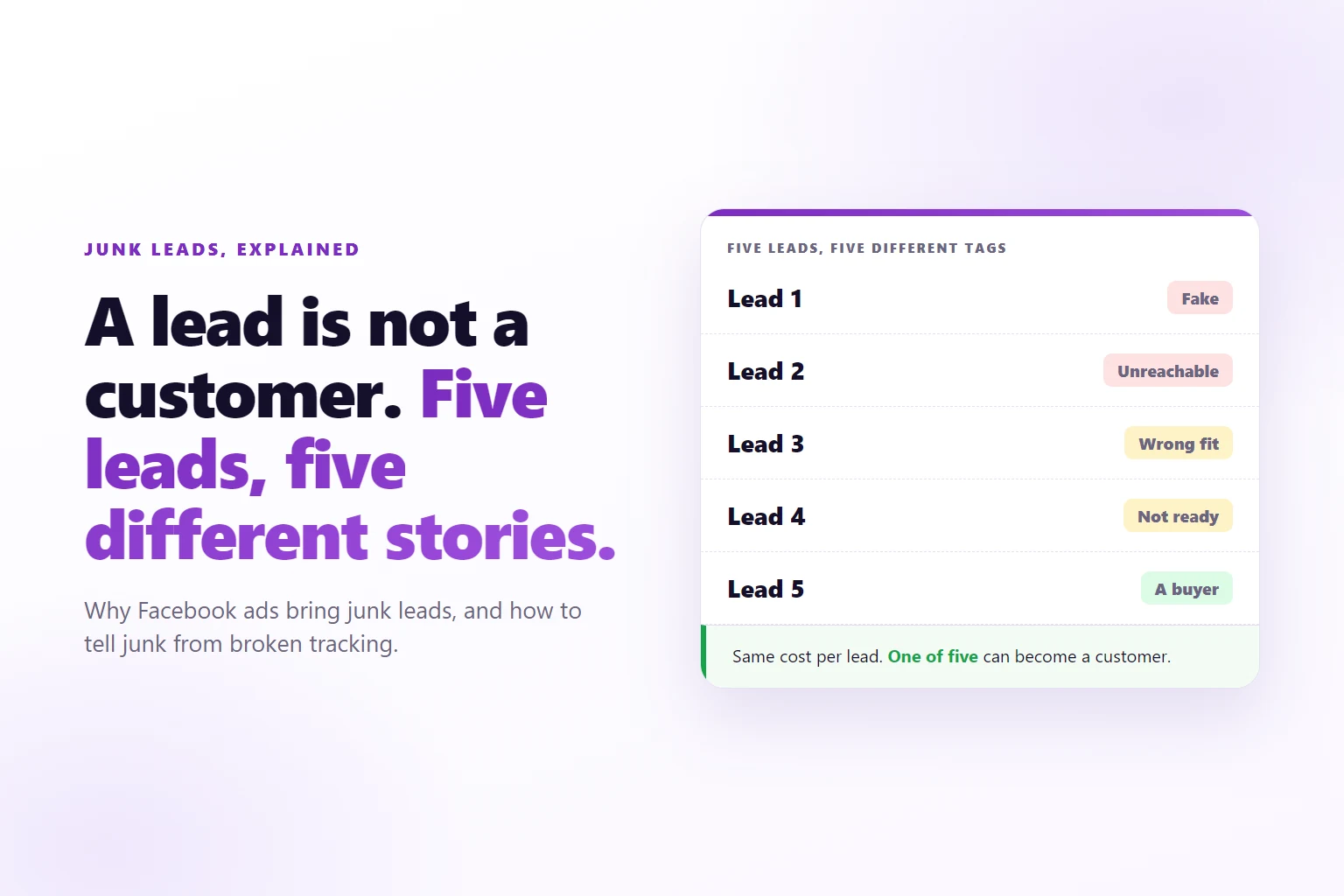
- Junk leads are four different problems: fake, unreachable, wrong fit and not ready.
- Meta looks for more people like the ones who triggered the event you optimize for, so a form submit as the reward finds form submitters.
- Every step you remove from a form lets in more people, including the ones who never meant to buy.
- Two lead counts that disagree can be a tracking fault, not bad people.
- Call a sample of ten leads before you change anything. The mix tells you which cause you have.
Junk leads from Facebook ads are form submissions that cannot become customers: made-up details, people you cannot reach, buyers who do not fit and people who are not ready. They usually trace back to what the campaign was set up to find, not to Meta misbehaving.
You run Facebook ads for a service business, and the leads keep arriving. Ads Manager, Meta’s ad dashboard, shows a cost per lead you are happy with. Then the sales call list tells another story: numbers that ring out, emails that bounce, a few people who say they never asked for anything, and a handful who are real but could never afford you.
Before you rewrite the ad or fire the agency, work out which kind of junk you have. The cause decides the fix, and one of the kinds is not junk at all, it is a counting error. This guide covers why Facebook ads bring junk leads and how to tell the cause apart.
What counts as a junk lead?
A junk lead is a lead that could never have become a customer, whatever your sales team did with it. There are four kinds, and mixing them up is how people fix the wrong thing.
- Fake. The details are invented or belong to someone else. The email bounces, the phone number does not exist, or the name is keyboard mash.
- Unreachable. A real person who does not answer. They typed a wrong digit, gave an address they never check, or have forgotten the form.
- Wrong fit. A real person who answers and cannot buy: wrong country, no budget, a student, a job seeker, a competitor.
- Not ready. A real person with a real fit who is only curious. They wanted the guide or the free thing and have no plan to buy.
The first two are data problems. The last two are targeting and offer problems. They are fixed in different places, which is why the first job is to count them, not to feel annoyed about them.
The test for any of the four is the same: contact a sample and tag what happens. Ten recent leads is enough to see a pattern. If seven never answer, you have a different problem from the one where all ten answer and none can afford you.
Cause 1: Meta was told to find form submitters
Meta’s delivery system finds more people who are likely to take the action you chose as the campaign’s goal. That action is the optimization event. In a lead campaign it is usually the form submit, the Lead event.
Read that literally. The system is not looking for buyers. It is looking for people who submit this kind of form after seeing this kind of ad. A buyer and a bored person with a free evening are the same to it, as long as both submit. So it gets better and better at finding the people who submit most easily and most cheaply, and those people are not a random sample of your market.
This is a common reason cost per lead falls while the sales calendar empties. The campaign is doing its job. The job was never “find customers.” The job was “find submits,” and a submit is the cheapest signal in the funnel to fake, fumble or regret.
The lever is the event you optimize for: moving it from the form to a later stage that predicts revenue, such as a booked call. The guide to tracking leads from Facebook ads to sales shows how each stage after the form gets recorded and sent back, and why that is the foundation of the fix. This post is about the diagnosis, so here is the part that matters: if the only event Meta receives is the form, every other cause below gets worse.
Cause 2: The form takes almost no effort
Effort filters people. A form that takes one tap lets in everyone who is mildly interested, accidentally curious or paid to click. A form with one more question, such as “Roughly what would you spend a month on this?”, makes some of them stop.
The Nielsen Norman Group’s form guidance recommends cutting the fields you do not need, because each one adds effort (research on web form design). That is good advice for a checkout and a risk for a lead form. The same logic works in reverse: every field you cut also raises the number of people who get through without meaning it. Conversion rate and lead quality are two different numbers, and this is where they pull apart.
Instant forms (the forms that open inside Facebook) can add to it. They can open already filled with the contact details from the person’s profile, so a submit can take a tap or two. Browsers do something similar on your own landing page: the autocomplete attribute lets a browser fill known fields for the visitor (MDN on autocomplete). Autofill is also where stale emails and old phone numbers come from, because people submit what the browser remembered, not what they checked.
None of this means a long form is better. A form that screens out the buyers along with the browsers is a worse trade. The point is narrower: when quality drops right after you shortened the form or switched to an instant form, you have found a cause. The design of the form, and the choice between an instant form and a landing page, are part of the fixes, covered at the end.
Cause 3: A broad audience and an ad that qualifies no one
Meta needs room to find people, and a wide audience gives it room. A wide audience also contains many people who are not your buyer, and an ad that speaks to everyone gives them no reason to scroll past.
The ad is the first qualifier. An ad that says “Get more leads” attracts anyone who wants more leads. An ad that names the buyer, the problem and the kind of work you do repels people who do not match before they ever reach the form. That is a creative decision, not a targeting setting.
Here is the check: look at the leads that are the wrong fit and ask what the ad promised them. If your ad could have been written for any business, the audience will respond that way. The guide to how many ads per ad set explains why variety in the buyer, the angle and the offer matters more than the number of ads, and why a set of near copies cannot qualify anyone differently.
Cause 4: Bots and fake submissions
Some of your junk is not a person at all. Any form open on the web can be submitted by a script, and forms that are easy to submit are easy to automate. The Open Worldwide Application Security Project (OWASP) catalogs automated threats against web applications, and describes the common pattern as misuse of a site’s normal functions rather than a technical break-in (OWASP automated threats). A lead form is a normal function.
Real people add to the same pile by typing fake details to get past the form to a download or a discount. You do not need to know which it was. You need to recognize the signs:
- Bursts. Several leads within seconds of each other, then nothing for an hour.
- Patterns. Emails that follow a template, such as a name plus a rising number, or the same domain over and over.
- Dead numbers. Phone numbers that do not connect, repeat across leads or have the wrong length.
- Impossible speed. A lead that arrives faster than anyone could read the page and type.
If these show up, the fix is on the data side: validate emails and phone numbers before a lead is accepted, add a human check where the stakes justify it, and keep fake leads out of what you send back to Meta. A fake lead that gets counted is a fake lead that teaches Meta to find more of them.
Cause 5: The offer attracts people who want the offer
A free guide, a giveaway, a discount or a free audit pulls in people who want the free thing. It can do that very well. It does not follow that they want the service you sell afterwards.
That is the “not ready” group. They are real, they answer when you call, and they say the guide was useful. The offer did exactly what offers do. The mismatch is between what you gave away and what you sell.
Check it the same way as the ad: line up the leads that do not buy against the offer that brought them in. If the free thing is only useful to a person who will never pay for the paid thing, the junk is in the offer. If the free thing is something only a real buyer would want, it is not.
Is it junk, or is your tracking broken?
Some of what looks like junk is a counting error. A lead number can be inflated without a single bad person in it, and the quickest way to waste a month is to fix targeting for a problem that sits in your tracking.
The usual suspects:
- A Lead event that fires on every page load. If the thank-you page carries the Lead event, a reload, a bookmark or a back button counts another lead. One submit becomes three.
- Two copies of the same event. A browser pixel and a server connection both report the same lead, and nothing tells Meta they are one. Meta deduplicates when both copies carry the same event name and event id.
- Instant form leads your site never saw. Instant forms create leads inside Facebook, so they show up in Ads Manager and not in your site’s own records, which is why two counts can differ even when everything works.
- Duplicate submissions. The same person submits twice, and your CRM keeps one record by email while Ads Manager counts two.
Compare the two counts for the same dates and the same form. A gap is a clue about tracking before it is a verdict on lead quality.
This is also why the counts are worth checking before the calls. A mismatch you explain in ten minutes beats a week of rewriting ads.
The check that separates the two
Run these in order. The first two catch tracking faults, the last two measure the leads.
- Count both sides. Take one form and one date range. Write down the number of leads Ads Manager shows and the number of records in your CRM (the system where your sales team tracks leads). Note which leads came through an instant form and which through your site.
- Submit one test lead yourself. Use an email address you own, go through the whole form, and count how many lead events arrive. One is right. Two or more means a double count. Then reload the thank-you page and see whether the count rises.
- Look at the timestamps. Sort the week’s leads by time. Bursts point at bots. An even trickle points at people.
- Call a sample of ten. Tag each one as fake, unreachable, wrong fit or not ready, using the four kinds above. Note how many are real buyers.
In Nask AI, step 2 is built in for any stage caught on your page. Click Test this stage, then Open the test page, and do the step yourself. The test panel shows Pixel seen on the page, then Detected once the stage itself arrives, with the events it caught listed below. The Nask AI pixel setup guide walks through every line of that panel. For stages that arrive from the server through the Conversions API (Meta’s server-to-server connection), the brand’s Conversions API page has a Last 30 days card with counts for Received, Matched, Held and No lead, which shows how many events found the person they belong to.
Then ask three questions in order. Is the lead in your CRM? If not, start with tracking. Does the person answer? If not, start with the form and the bots. Could they buy, and are they ready? If not, start with the ad and the offer.
When the leads are fine and the follow-up is not
One more cause belongs on the list because it looks like junk from the sales side: a good lead that went cold. A person who filled in a form in the evening and got a call three days later has forgotten they asked. They sound like a wrong number, and the call gets tagged as junk.
You can tell the difference by the timing. Check how long each lead waited for a first contact, then compare the answer rate for leads reached quickly with those reached late. If the fast ones answer and the slow ones do not, the leads were not junk. The process was slow.
Do this before you decide the audience is bad. It is the cheapest cause to fix, and it costs nothing in ad spend.
What to fix next
The fixes are a separate job from the diagnosis. Nask AI’s guide to improving Facebook lead quality for service businesses covers the form design, optimizing on later stages such as a booked call, and the choice between an instant form and a landing page.
Frequently Asked Questions
Are my Facebook leads fake or just low quality?
Both happen, and they look different. Fake leads have made-up names, emails that bounce or phone numbers that do not exist, and they often arrive in bursts. Low-quality leads are real people who answer but do not fit what you sell or are not ready to buy. Call a sample of ten before you decide, because the fix for each one is different.
Does a low cost per lead mean more junk?
Not by itself, but it is a warning. A cost per lead far below last month’s can mean the form got easier or the audience got broader, and both let in more people who will never buy. Compare cost per booked call before you celebrate a cheap lead, because the cheapest leads are often the ones that never book.
Can bots fill out Facebook lead forms?
Yes, on website forms: any form open on the web can be scripted. Instant forms mostly get fake details from real people typing them. The signs are bursts of leads seconds apart, patterned or repeated emails, and phone numbers that never connect. Treat it as a data problem first: remove the obvious fakes, then check what the campaign rewards.
How many junk leads is normal?
There is no honest universal number, because it depends on your offer, your form and your audience. Set your own baseline instead. Call a sample of recent leads each week and record how many answer, fit and are ready. A rising share of unreachable or wrong-fit leads after a change tells you which change did it.
Could the junk be a tracking problem instead?
Yes. A count that looks inflated is sometimes a tracking fault, not bad people. A Lead event that fires on every thank-you page load, or twice for one submit, makes the lead number higher than your CRM’s records. Compare the Ads Manager count with CRM records for the same dates, then submit a test lead yourself and count the events.
See which leads book, in Nask AI
Junk looks the same as a good lead until something happens after the form. Nask AI follows each lead from your own pages to the booked call and the sale, ties it to the ad that brought it, and lets you choose which stages go back to Meta. Book a demo and watch a lead move from the form to the call.
Nask AI records every stage after the form, from booked call to sale, and sends back the ones you choose. Book a demo and watch it follow a lead from the ad to the call.
Book a demo